| |
|
 Dr.
Neau's Tournament Management System (DrNTM) automates virtually every aspect of a
poker tournament for you, from creating the tournament to running the tournament
to reporting results. Dr.
Neau's Tournament Management System (DrNTM) automates virtually every aspect of a
poker tournament for you, from creating the tournament to running the tournament
to reporting results.
This application is 100% pure Java. That
means that it runs on any system that supports Java...Windows, Macintosh,
Linux, etc.
Multiple system configurations are
supported, including:
All data used by the application is
stored in a single repository (a single directory structure). You can have
multiple repositories on a system if you wish. You can keep your
repository on a flash drive. You can copy your repository from one system
to another to run the app with all of your data on another computer.
The left side of this page has a quick
usage scenario then goes into more
detail on the main features, including:
The right side of this page
has a download link, links
to user-contributed components, system requirements, licensing and pricing,
support information, info on the bulletin
board, links to join/leave the mail list, testimonials
and thanks.
Thanks
for your interest!
Most of the features of the application
are available to you for you at no charge. However, you will need a valid
license to use the "extended features", which include the
ability to:
- Manage leagues
- Activate custom console themes
- Utilize the networking features
Additionally, you will need a valid
license to manage tournaments with more than 8 active players
If you would like a demo license
to try out the extended features, please send an email to Dr.
Neau. He will provide you with a license good for a few weeks...enough
time for you to see what the application can do. Make sure to include your
"Host ID" in the request...you can get your Host ID from the license
dialog that appears when you start the application.
|
| Quick
usage scenario |
Step 1: Creating your tournament
The "New Tournament Wizard" guides you through each step
of the process in creating a new tournament. When creating the
tournament, you can create it from the ground up or take advantage
of your library of reusable components including betting schedules,
checklists, chip cases, console themes, payout schedules, player
databases, scoring methods and table configurations.
Note: Any part of your
tournament can be saved into the component library for reuse in a
future tournament.
Step 2: Running your tournament
Just before and during the tournament, you're primarily
concerned with handling buy-ins, add-ons, rebuys, eliminations,
seating, managing the clock, alerting players to new betting levels,
tracking bounties, calculating payouts and managing your cash. All
of that is handled by the application so that you can focus on
playing.
While all this is going on, your
players see the console...a dashboard of information configured to
show them exactly the information you want to see. The
application comes with default dashboards, but you can use the
designer to create your own dashboards (choosing from 30+
components) that look exactly the way you want them to. The goal of
the dashboard is to stop people from constantly asking you
questions.
When important events happen, the
players are notified via audio and visual alerts on the console. You
decide which types of alerts are important to you.
Step 3: Reporting results and
rolling up into a league
Once the tournament is over, it's just a matter of presenting
results to your players. If you have your own website, you can
generate reports that can be saved as HTML, Excel, PDF or Word. If
you use a league management system like Poker Genie or PokerDIY, you
can export data into a format that can be uploaded into those sites.
DrNTM captures a complete history
of what happened during the tournament, so you have the story of
your tournament that you can share.
If you are running a league, you
can also use DrNTM as your league management system. The
application lets you create robust scoring methods that tournaments
can use to calculate player scores. These scores can be rolled up
into league standings if you add the tournament to a league.
|
| Features |
| Betting
schedule management and the timer |
|
The core of any tournament
management system is "the clock": Letting everyone know
what the current bets are and how much time is left at the current
level. DrNTM excels here by supporting virtually any type of
poker you want to play.
The betting schedule (I call it
a "betting schedule" it isn't right to call it a
"blinds schedule" in a stud tournament) consists of three types
of segments:
- Pre-tournament -
Used as a countdown period before the
tournament begins. You could even use more than one...one to
represent the countdown to the buy-in period, and another to
represent the buy-in period with a countdown to the tournament
start. If these
segments exist, they are always at the beginning of the
schedule.
- Play - A play segment
represents active play. You can specify the game
(Hold'em/Omaha/etc.), limit type (Limit, Pot-Limit, No-Limit,
etc.), and bets (ante, bring-in, small blind, large blind, small bet and
large bet.)
- Break - Represents the
time when players are on break. There are actually three types
of break segments:
- Standard break - The
type of break most people are used to...it occurs within the
schedule after a specific betting level. You'll probably use
this most of the time.
- Fixed break - A break
that occurs at a specific time of day. This is useful when
there a reason to break at a specific time, maybe to watch
the PPV fight.
- Ad-hoc break - The
pizza has just arrived and you want to break. Use an ad-hoc
break!
You might be wondering why you
wouldn't just pause the timer rather than use a fixed or ad-hoc
break. Here's why: When you simply pause the timer, it isn't clear
why you did it and when play will start again. If you used a fixed
or ad-hoc break, you can display a special console dashboard for
that break with the necessary information (like time left for the
break)...and when the break is over the timer will resume at the
exact point you went on break! Much more professional looking than
simply pausing the clock.
Each segment of the betting
schedule has the following attributes: Level ID (auto-generated), Estimated Start
Time (calculated for you), Duration, Estimated End Time (calculated
for you), Available Add-ons, Available Rebuys, Chips to Remove
(calculated for you, if you wish), Pause at End and Console Map Key (to denote the preferred
dashboards for that level). Obviously, fixed breaks also have a
configurable Start Time attribute.
The betting schedule designer
offers plenty of features for creating, editing and monitoring the
betting schedule:
- Buttons for adding new segments
before or after any segment
- Buttons for moving segments up
and down in the schedule
- Buttons for setting the
duration, pause, limit, game, console key, ante, bring-in, small
blind, large blind, small bet and large bet of multiple levels
at one time
- Buttons for selecting multiple
levels at once using the criteria you specify
- A timings panel that details all
of the estimated timings for your betting schedule
- A graph that displays the
progression of your betting schedule to help ensure it is
constant
- Finally, the betting schedule wizard -
Actually 16 different wizards: No-Limit Hold'em, Mixed-Limit
Hold'em, Limit HO, Limit HORSE, Limit Omaha, Pot-Limit Omaha,
No-Limit Omaha, Limit Omaha 8/b, Pot-Limit Omaha 8/b, No-Limit
Omaha 8/b, Limit Razz, Limit SHOE, Limit Stud and Limit Stud
8/b. Each wizard asks you questions and generates a suitable
betting schedule using your preferences, within the bounds of
your chip case.
If you want, click on the report
button to generate a betting
schedule report. You can print it or save it to PDF, HTML,
Excel, CSV, RTF or a text file.
Once you create a betting schedule
you like to use, you can save it as a reusable component so that you
can import it into future tournaments.
From the timer controller
(or from the console), you can perform the following operations:
Start Countdown (to beginning of tournament), Start Tournament,
Start Clock, Pause Clock, End Tournament, Select New Level and
Select Time Remaining.
Back to the top
|
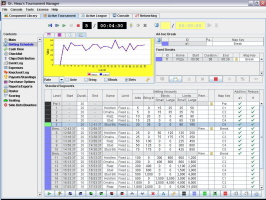
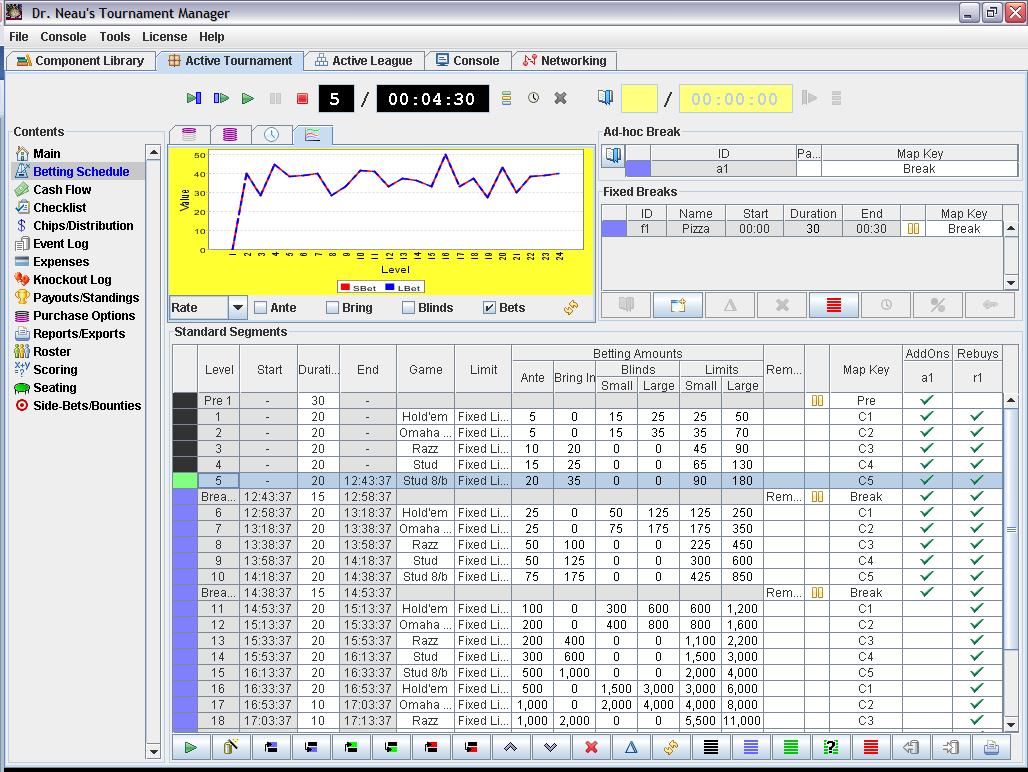
The betting schedule designer, displaying the schedule for
a HORSE tournament |

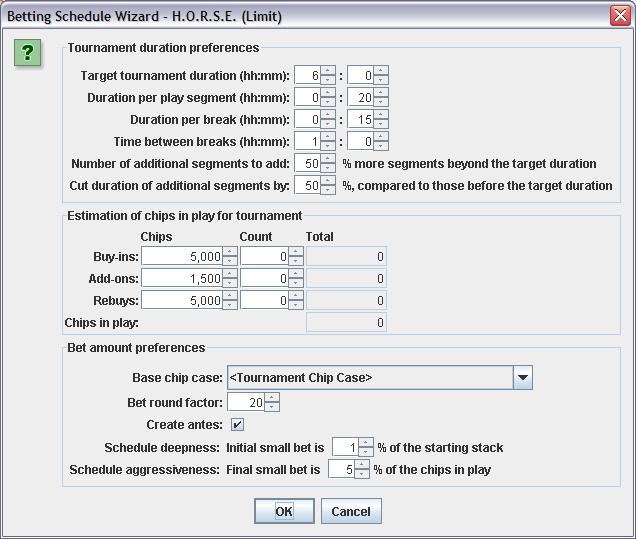
One of the many betting schedule wizards...this one for a
HORSE tournament |
|
| The
console(s) |
|
A console is what your players see.
You can actually have multiple consoles if you like (but you'll
normally have one). Each console consists of:
- A console dashboard -
This is the collection of widgets such as time
in round, current bets, etc. You can create your own dashboards
using the dashboard designer with 30+ components to choose from,
including: Active Chip Count, Active Level Name, Active Seat
Count, Active Table Count, Add-on Count, Average Chip Stack,
Bets for Active Level, Buy-in Count, Chip Case, Chip
Consolidation, Deck Color, Empty Component, Game for Active
Level, Horizontal Announcement Marquee, Image, Label, League
Standings (Horizontal Marquee), League Standings (Vertical
Marquee), Limit Type for Active Level, Next Level Summary,
Occupied Seat Count, Open Seat Count, Payouts/Results
(Horizontal Marquee), Payouts/Results (Vertical Marquee), Prize
Pool, Rebuy Count, Remaining Player Count, Time In Round, Time
of Day, Time to Next Break, Time to Start of Tournament,
Tournament Description and Tournament Title. Each of these
components is configurable in many, many ways via the dashboard
designer.
- A
console map - This is used in conjunction with the
"console map key" attribute from the active betting
schedule to determine which console dashboards to display at any
point in time. As an extreme example, imagine a HORSE
tournament.. You might have a rotation of 2 or 3 different
dashboards displayed before the tournament, a special
"Hold'em" dashboard with a red background and
"HOLD'EM" displayed for everyone to see, a special
"Omaha" dashboard with a blue background, a special
"Razz" dashboard with purple background, etc.
- Alerts - Alerts are a way
of drawing player's attention to the console at critical times.
Active alerts will overlay text (and possibly images) on the
screen while playing an audio (if you've defined one). Alert
types include: Betting Level Started, Break Started, Elimination
(First Player Out), Elimination (In the Money), Elimination (On
the Bubble), Elimination (Out of the Money), Elimination (With a
Rebuy), Player Added On, Player Bought In, Player Rebought,
Timer Started, Timer Stopped, Tournament Ended, Tournament
Started, Time to End of Break, Time to End of Play, Time to
Start of Break, Time to Start of Play and Time to Next Betting
Level. The time-based alerts allow you to configure multiple
alerts to occur at the times you specify. For instance, you
might have an alert fire with a specific sound when there are 5
minutes left in a break and another alert with a different sound
fire when there are 2 minutes left in the break.
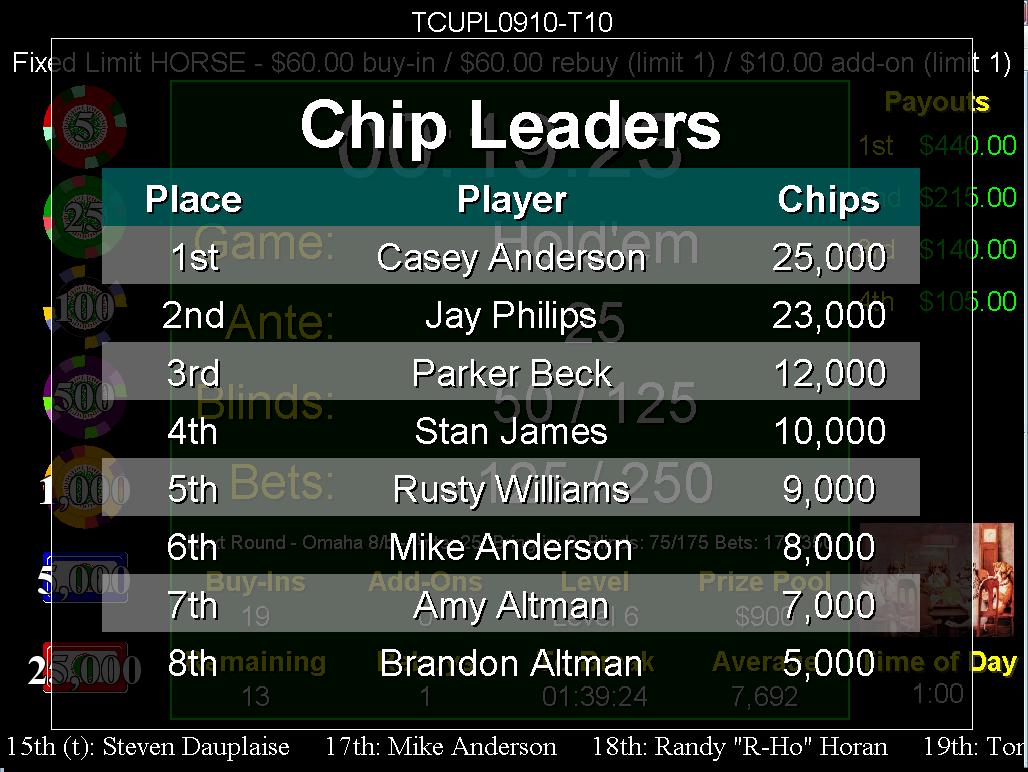
- Overlays - Overlays let
you present important information on the console for a short
period of time. Examples of overlays include the chip
distribution, chip leaders, league standings and seating
charts.
- Information - Information
includes announcements, hand nicknames, quiz questions,
quotation collections, rules, terminology and trivia
collections. Elements of these collections can be displayed on
the console in a random rotating fashion either for
informational or entertainment purposes. If you use this
feature, you'll probably only use it before a tournament or
during breaks. Think of it like what you see before the
previews start at the movie theater.
- Announcements - Ad-hoc
announcements can be entered and displayed (with an audio of
your choosing) at any time. So, if you have your tournament in
multiple rooms with multiple computers...rather than run all
over the house to tell everyone that the pizza has arrived, you
can just create an ad-hoc announcement with an annoying sound.
Announcements can also be pulled from a collection and displayed
in a horizontal marquee at the bottom of the console.
The above elements of a console
are aggregated together into a "console theme", so that
rather than defining all of the settings for all of those items for
every tournament, you just create one or more themes and have your
tournament use a theme. Console themes can also be exported to a
dataset for importing into another repository. Dr. Neau will add
users' themes to the website as cool and interesting ones are
submitted.
Displaying the console:
A console is actually contained in a separate window from the
main program, so when it comes to displaying a consoles, multiple system configurations are
supported, including:
-
A single computer with a
single display device
Example: A laptop sitting on the bar next to your poker
table.
Run DrNTM on the laptop with the console (displayed on the
right) in the foreground. Most tournament-time operations can
also be performed from the console with hot-keys or pop-up
menus, but the application is still running in another window if
you need it.
This is good model for single to multi-table tournaments that
are all in the same room.
-
A single computer with
multiple display devices using extended desktop
Example: A laptop connected to a projector (or a secondary
monitor, or a casino video system) using extended desktop.
If your computer gives you the ability to extend the desktop to
another display device, you can have the application's main
window (and a console, if you wish) displayed on the computer's primary monitor and
a separate console displayed on each of the other monitors. This
way, the players always see
the console while you are performing administrative tasks.
This is a good model for bars, casinos, large tournaments or
home tournaments...basically anyone that has one or more
secondary display devices. If you have multiple secondary
devices, you can actually display different types of consoles on
each device. So, for example, you might have the main tournament
information displayed on one monitor and the current chip
leaders displayed on another monitor.
-
Multiple computers, each
with their own display device
Example: A multi-table tournament spread throughout your
house and possibly spilling into the garage
game room.
You can use the networking capabilities to designate one machine
as "the server" and the other remote machines as
"clients". Clients can be anywhere, as long as
they have a network connection to the server. Note: No
filesharing is required. In fact, the server and clients don't
even need to be the same platform (one could be a Mac, the other
a Windows box and another a Linux box). All information required
by the client is transmitted over the wire using
TCP/IP...including audio alerts and images.
This is a good model for the "distributed home
tournament": One table in the dining room, one in the
basement, two in the garage. Bring a few laptops, hook
them up to your home network and you're all set.
Back to the top
|
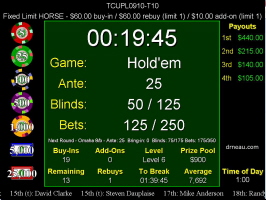
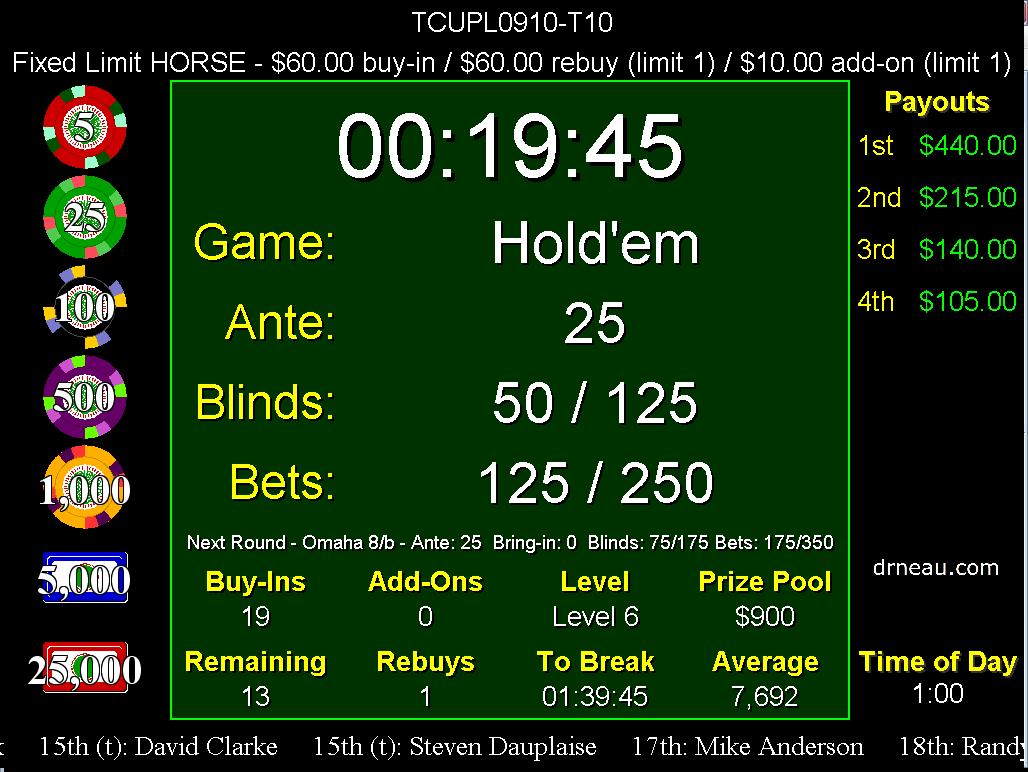
A dashboard configured for the Hold'em round of a HORSE
tournament |
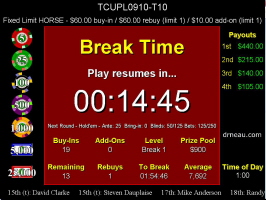
A dasbboard
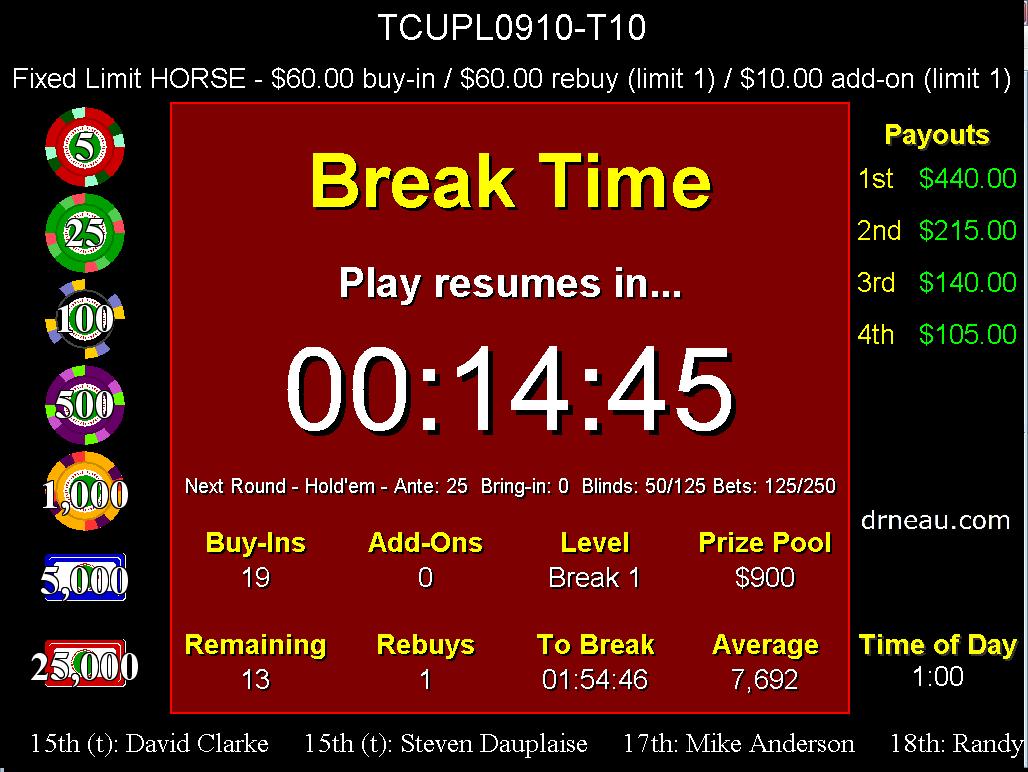
configured for a break |
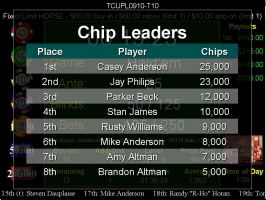
One of the
many console overlays...this one displaying the tournament
chip leaders |
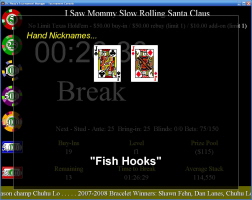
An example of
displaying "hand nicknames" on the console before
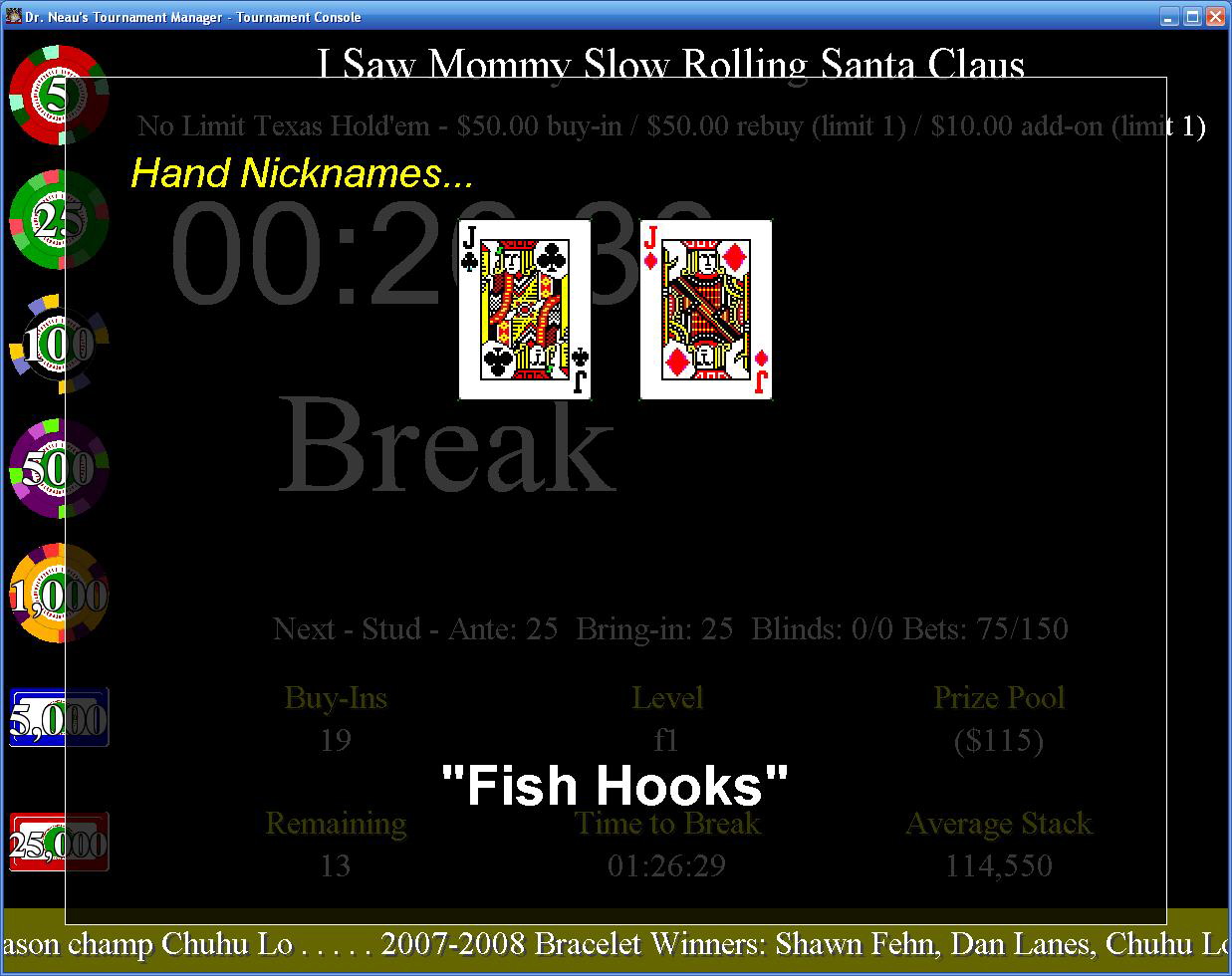
the tournament to keep waiting players entertained |
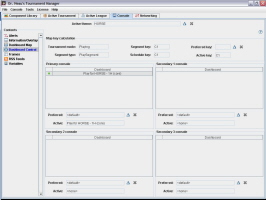
Consoles can
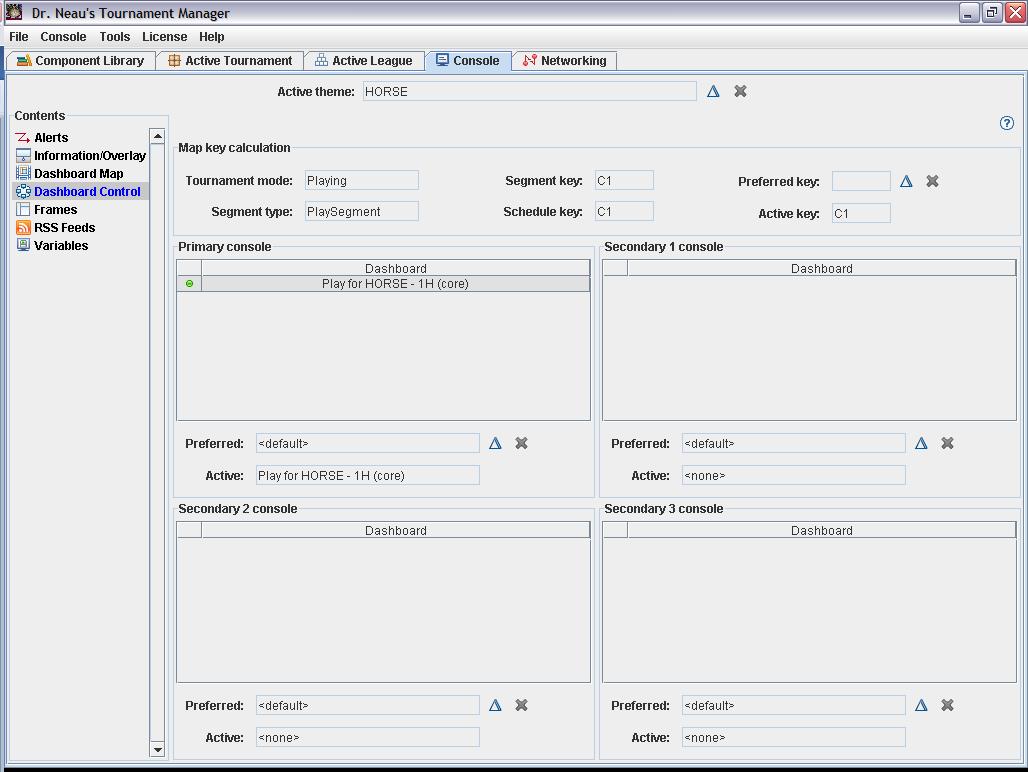
be set to display any console at any time |
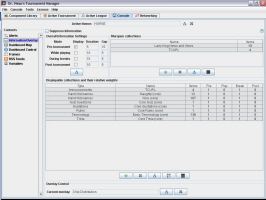
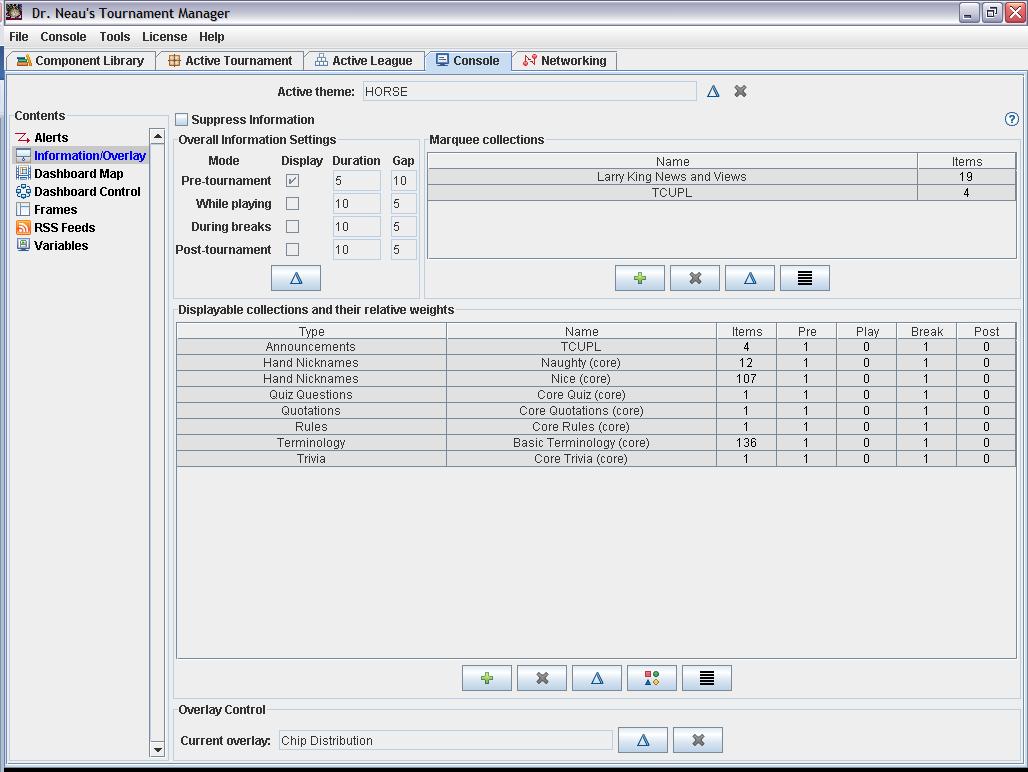
You have
fine-grained control over the fun information that is
displayed over the top of the console |
|
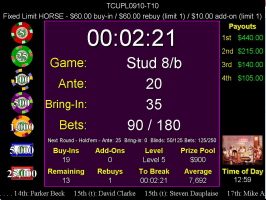
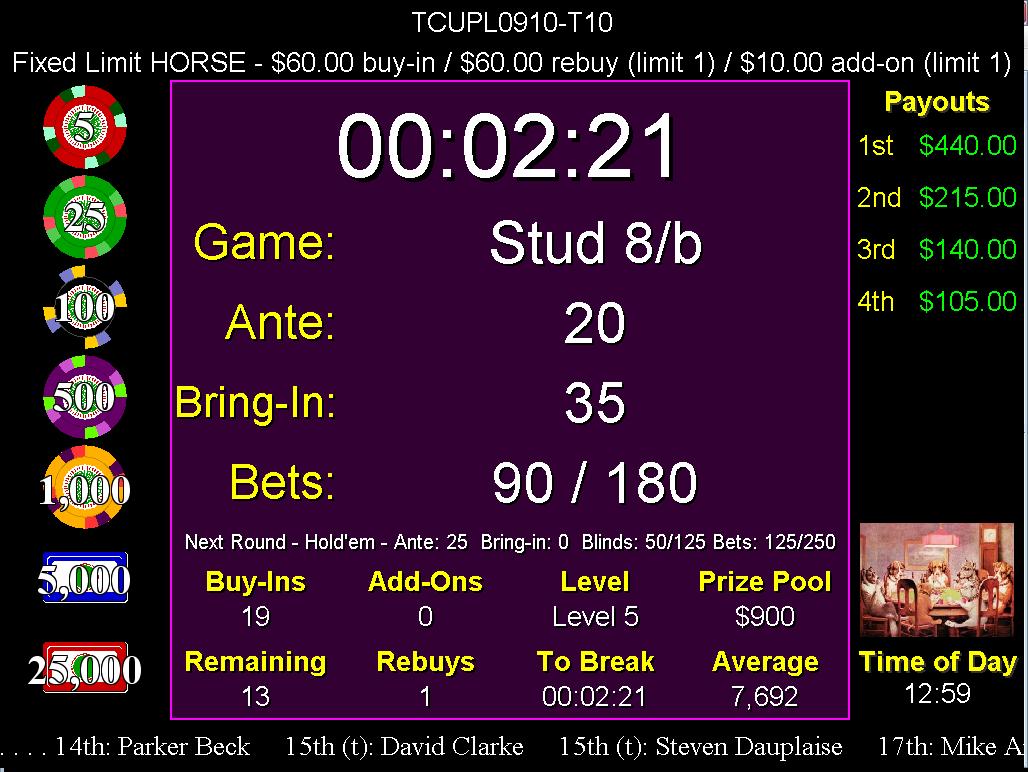
A dashboard configured for the Stud round of a HORSE
tournament |
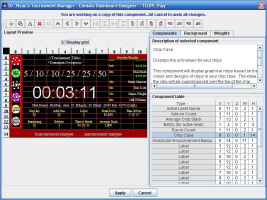
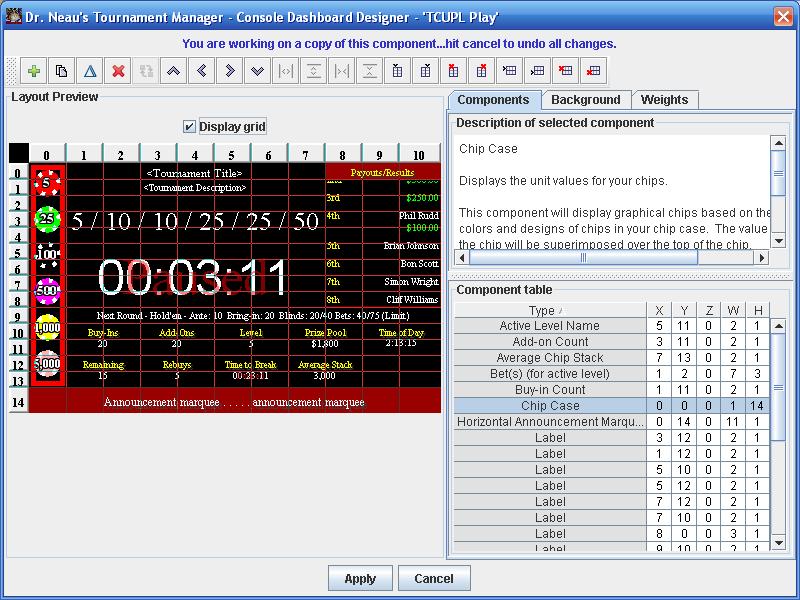
The console dashboard designer |
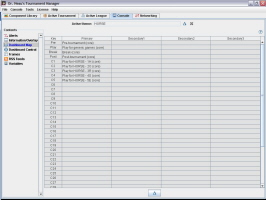
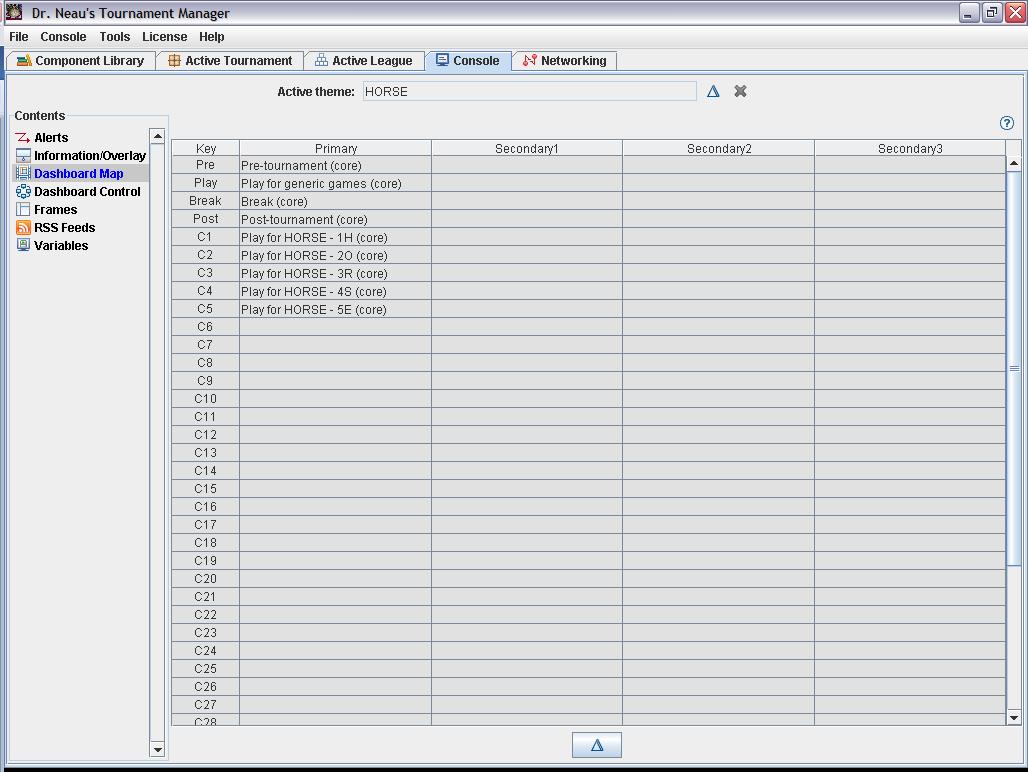
The dashboard map determines
which dashboards are displayed on the console at various
points in the tournament |
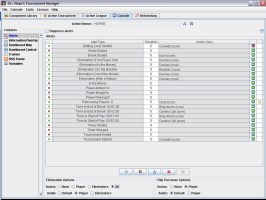
Alert
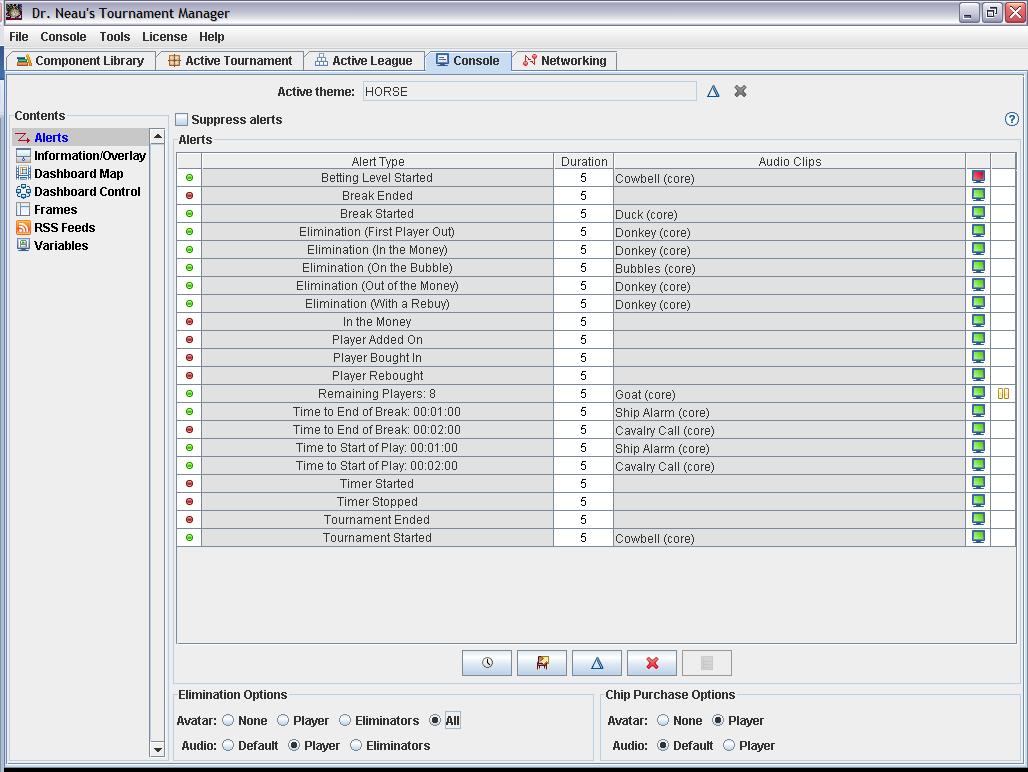
configuration |
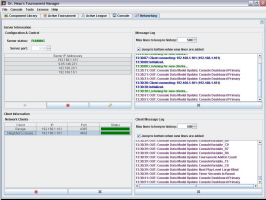
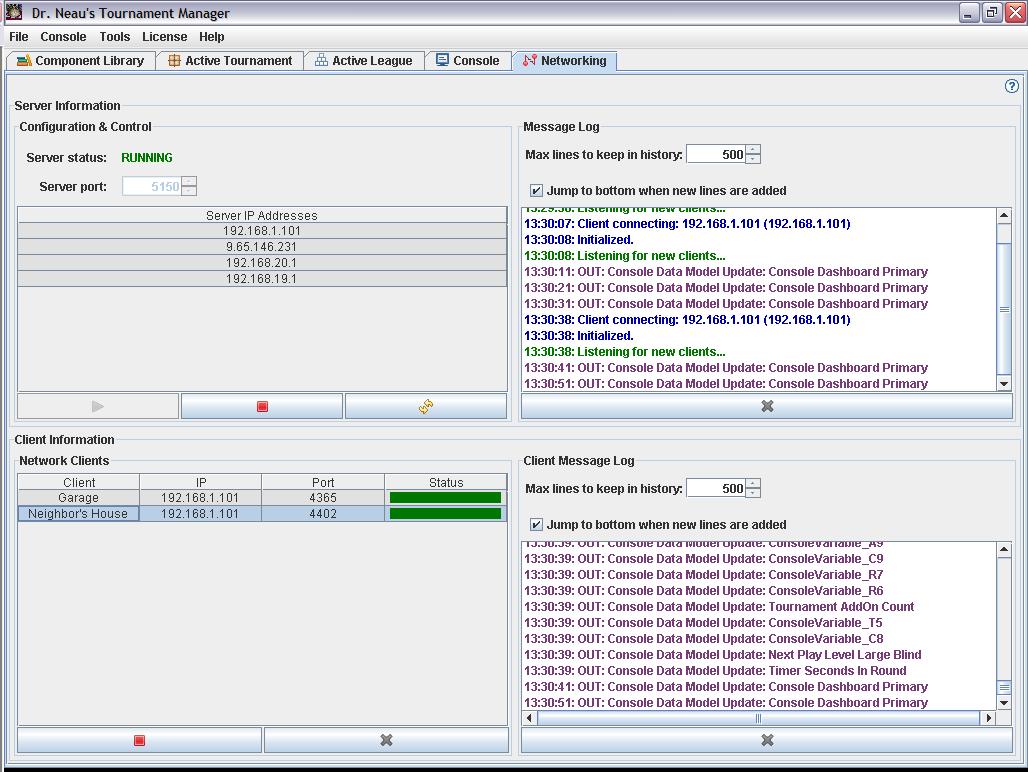
Remote clients
can connect to a server for displaying consoles on other
systems |
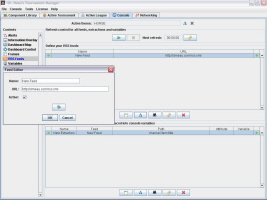
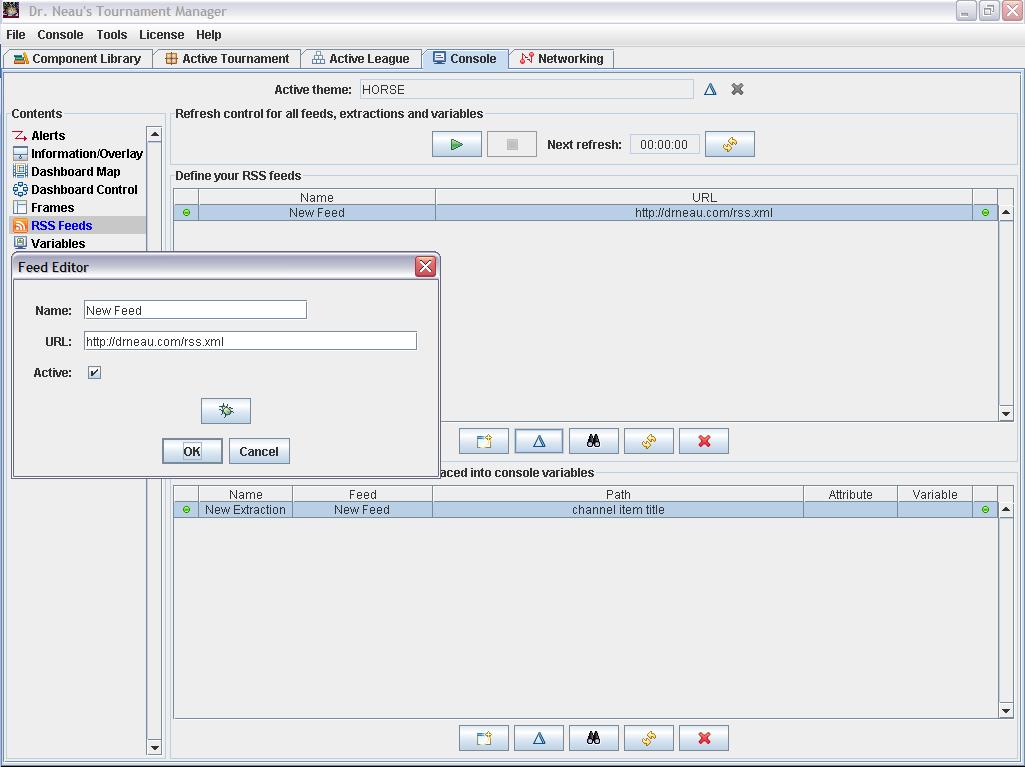
The console
can also display information extracted from RSS feeds |
|
|
Player management |
|
The
tournament roster provides detail about every player in your
tournament. From the roster, you can view/manage the following
information about every player:
- Core/contact attributes:
ID (every player gets an automatic but customizable unique ID),
first name, last name, nickname, display name (how they appear
on the console), address, phone numbers (4), email addresses
(4), city, state, zip/postal code, country, age, birthday, audio
(for use in alerts) and avatar (for use in alerts and for
identification purposes)
- Financial attributes:
Buy-in expense, add-on expense, rebuy expense, bounty expense,
bounty revenue, bounty net gain, place revenue, text award,
primary expense, primary net gain, primary revenue, secondary
expense, secondary net gain, secondary revenue, side-bet
expense, side-bet net gain, side-bet revenue, total expense,
total net gain, total revenue
- Chip purchase attributes:
Buy-in count, add-on count, rebuy count
- Seating attributes:
Table, seat, game expert (true/false...to assist in making sure
you have knowledgeable people at each table) and clock operator
(true/false...to ensure someone who knows how to work DrNTM is
sitting near the computer)
- Tournament status attributes:
Status (listed/active/eliminated), expected (true/false),
present (true/false), has been paid (true/false), has paid
(true/false), current chip stack, current chip rank, finish,
number in spot, knockout count, additional starting stack
- Scoring/league attributes:
Method points, manual points, league points, qualifying
tournament count, qualified league rank, qualified for league
ranking, unqualified league rank
The roster is sortable (by any
attribute) and configurable with pre-defined views to show you the
exact information you need to see at any point. You can also
customize the view by selected the columns you desire and the order
you wish to have them appear.
Player database: If you're tracking players in your tournament,
then you'll have at least
one player database. A database lets you centralize your player information
so that you don't have to duplicate it in every tournament. Using a
database also makes it easier to create a tournament...just add
people to the roster from the database. All core/contact attributes
on the roster are actually attributes of the player stored in the
database.
Back to the top
|
|
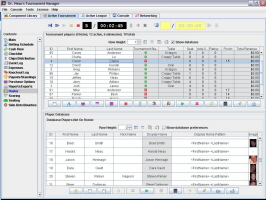
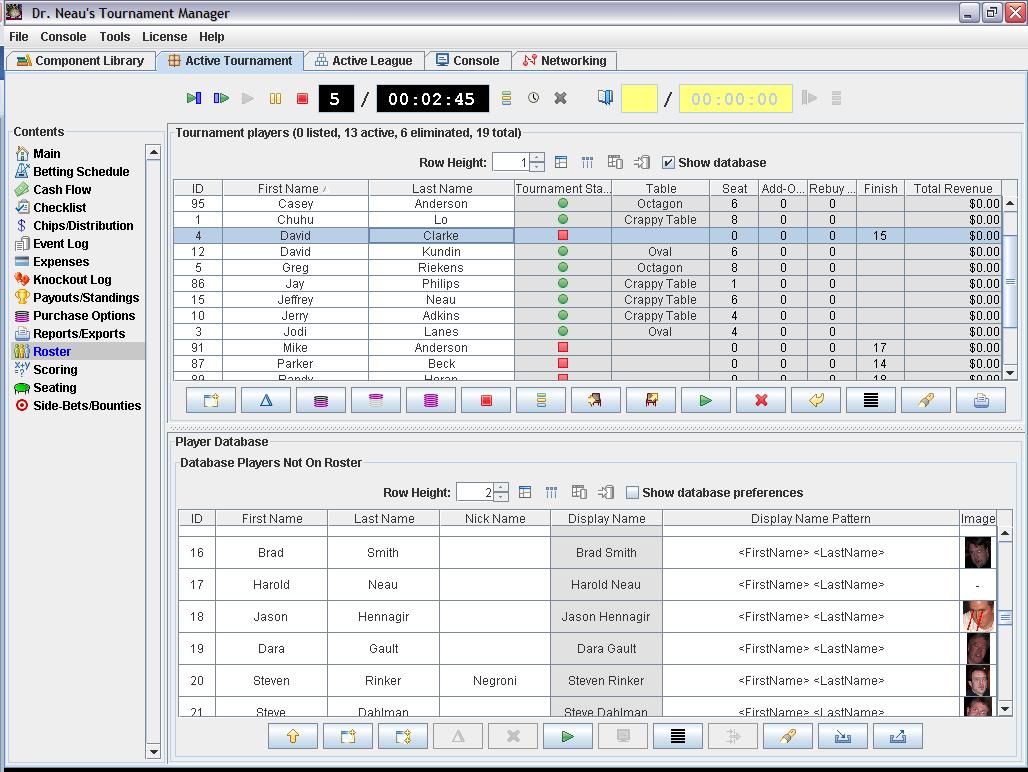
The tournament roster panel, with the associated player
database displayed in the lower half
|
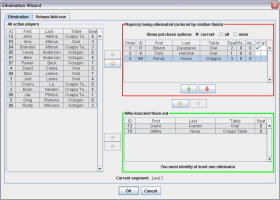
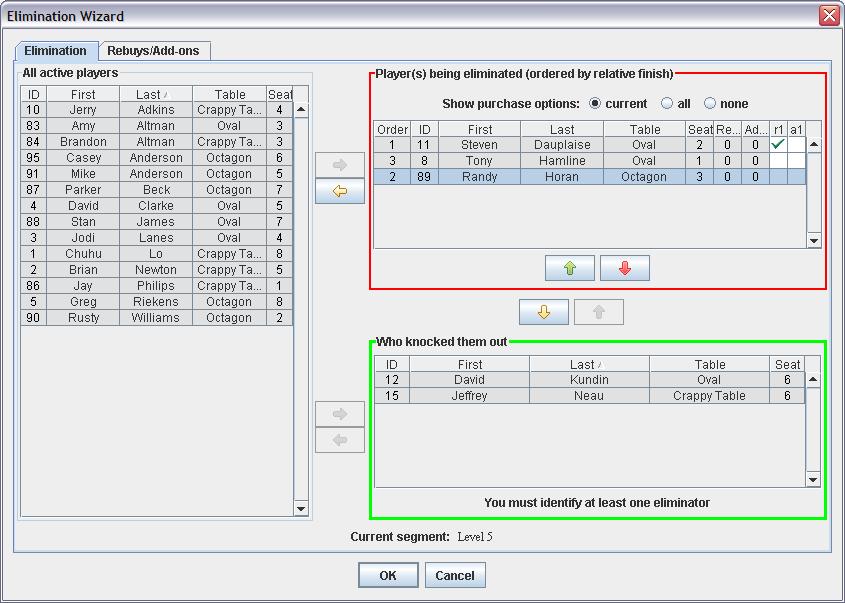
The elimination wizard...bounties can be split
among players any way needed |
|
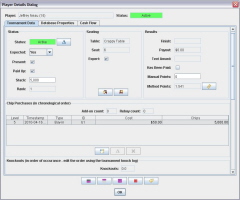
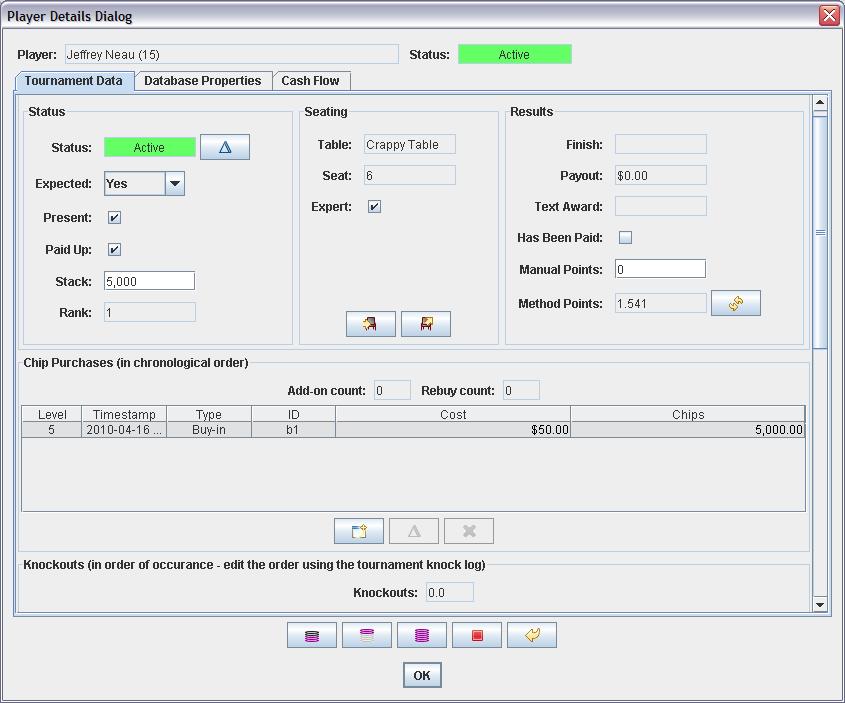
The player properties dialog - tournament data screen |
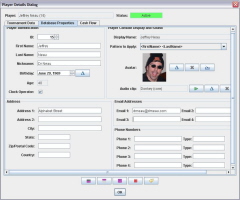
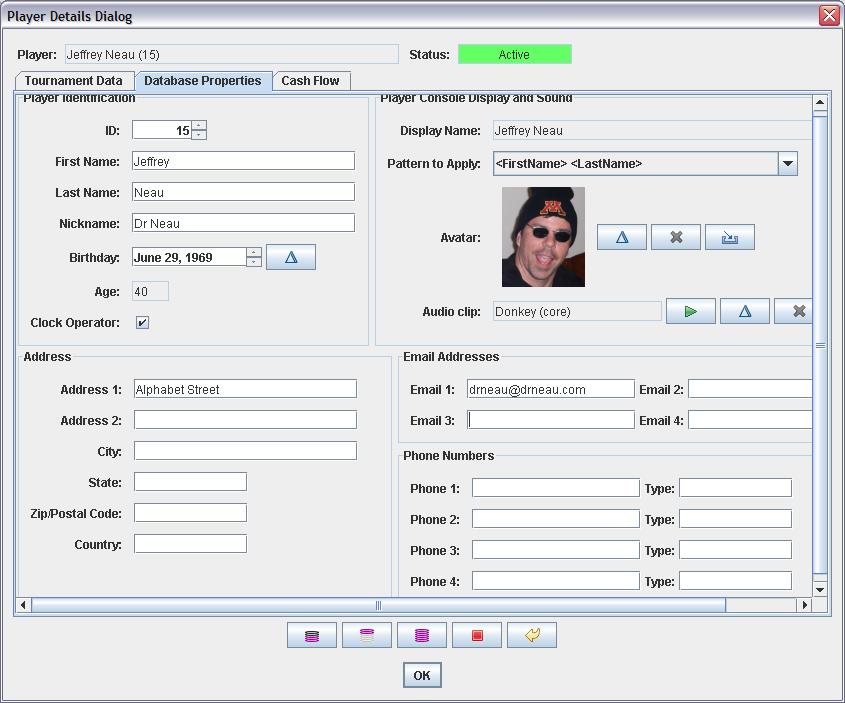
The player properties dialog - database information |
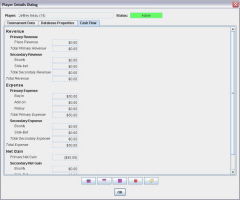
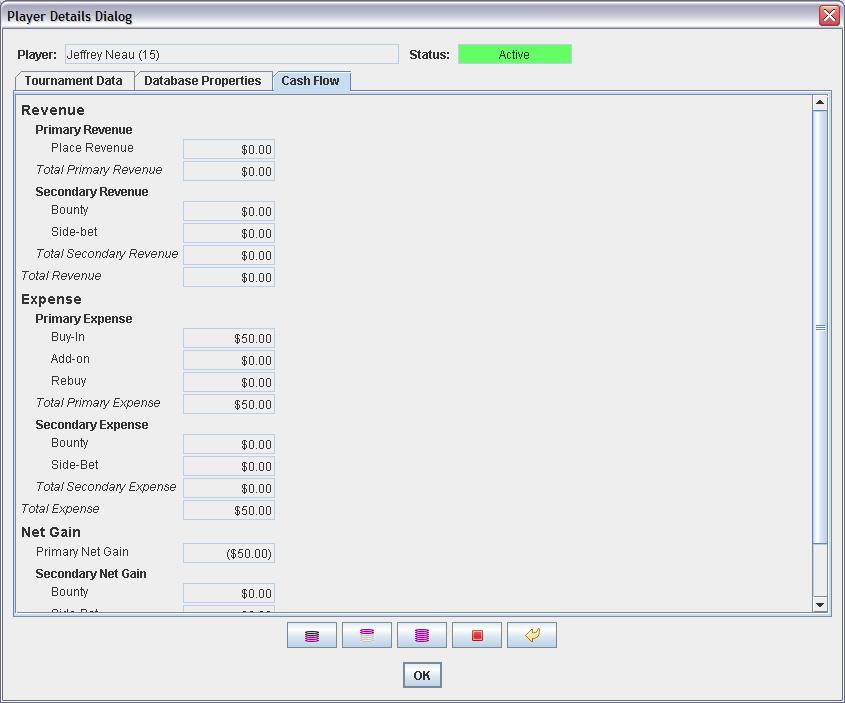
The player properties dialog - player cash flow |
|
| Financial
management |
| There
are many financial aspects to running tournaments. People
pay to enter and may pay to get additional chips. People may pay to
participate in bounties or other side bets. You might also
contribute a lump sum to the prize pool. You may decide that
all of these collected funds go to the tournament prize pool, or you
might rake a portion of them for the house or the league prize
pool. You have expenses...you might pay for those out of the
prize pool. And when the tournament is over, you need to pay people.
DrNTM
offers many features to help you manage finances.
First, there's the collection of
funds for the prize pool: Buy-ins, add-ons, rebuys optional bounties
and side bets. For each of these, you specify the total cost, the
amount that goes to the prize pool, the amount that goes to the
house and the amount that goes to the league.
Next, you can specify a lump sum
that's added to the pool, a fixed amount that extracted for the
league and a fixed amount that's extracted for the house rake.
If
you have expenses, you can track those also. Expense
tracking can be purely for informational purposes, or you can mark
specific expenses as "raked" to have them automatically
deducted from the tournament prize pool.
We know what we collected. We've
deducted our rake and our league contributions. We've deducted our
expenses. We also know what we need to pay to the side bet
winners (see the section on side bets for more on that.) Everything
that's left over is our tournament prize pool.
The tournament prize pool is distributed via the payout schedule,
and DrNTM offers very flexible payout schedules.
A
payout schedule is divided into tiers (example, tier A might be 1 to
5 players, tier B 6 to 10 players, etc.) Tiers are typically based
on number of buy-ins, but can also include number of add-ons and/or
rebuys (if you want to pay more people due to having a high number
of additional chip purchases.
For each tier you create, you
decide how many spots get paid and how the payout is distributed
among those spots. The number of spots paid can either be a fixed
number or some percentage of the number of buy-ins. The distribution
among those spots can then either be pre-defined or based on a
formula.
The appropriate payout schedule is
calculated automatically for you based on the model you've created,
and updated as needed as the tournament progresses.
Once you create a payout schedule
you like to use, you can save it as a reusable component so that you
can import it into future tournaments.
A
tournament has an associated cash flow report to show you exactly
where all the money comes from and where it goes. Each chip
purchase, bounty and side bet provides detail on all incoming and
outgoing funds. Finally, you can view a cash flow report for each
individual player.
Back to the top
|
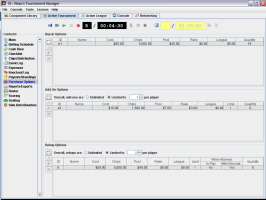
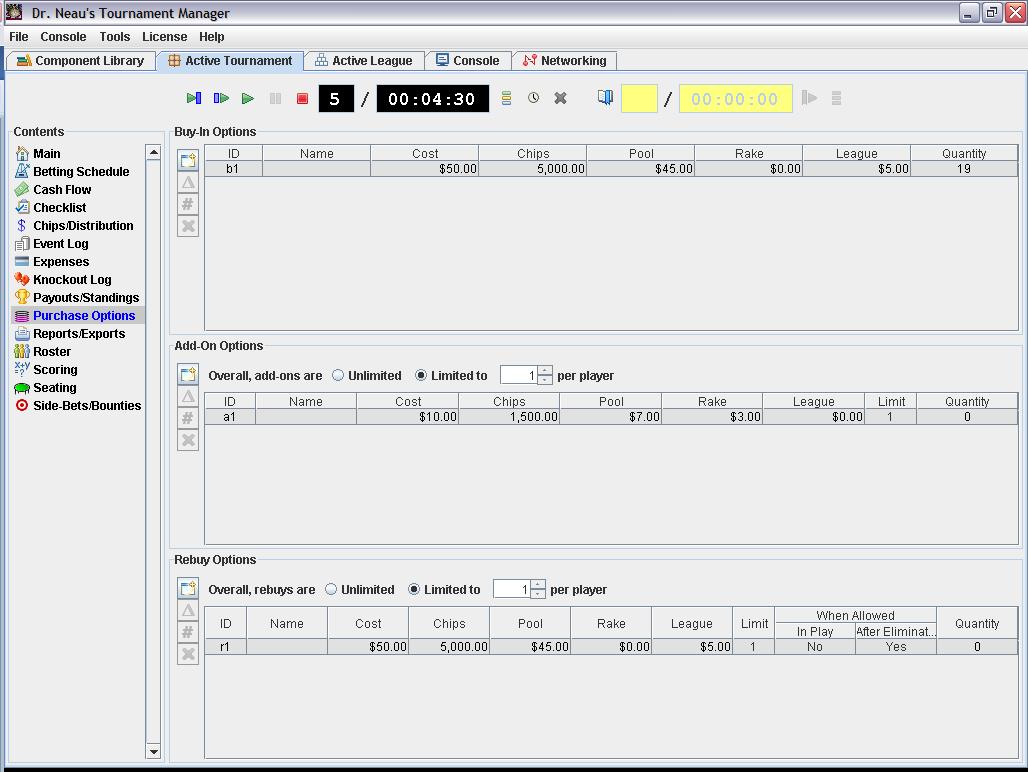
Chip purchase options - you can have multiple buy-in,
add-on and rebuy possibilities |
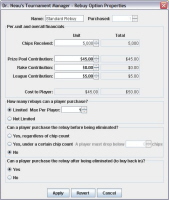
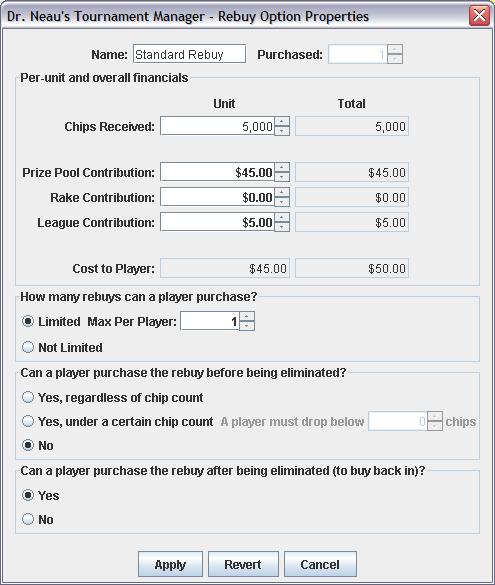
The rebuy option properties dialog |
|
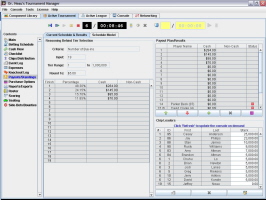
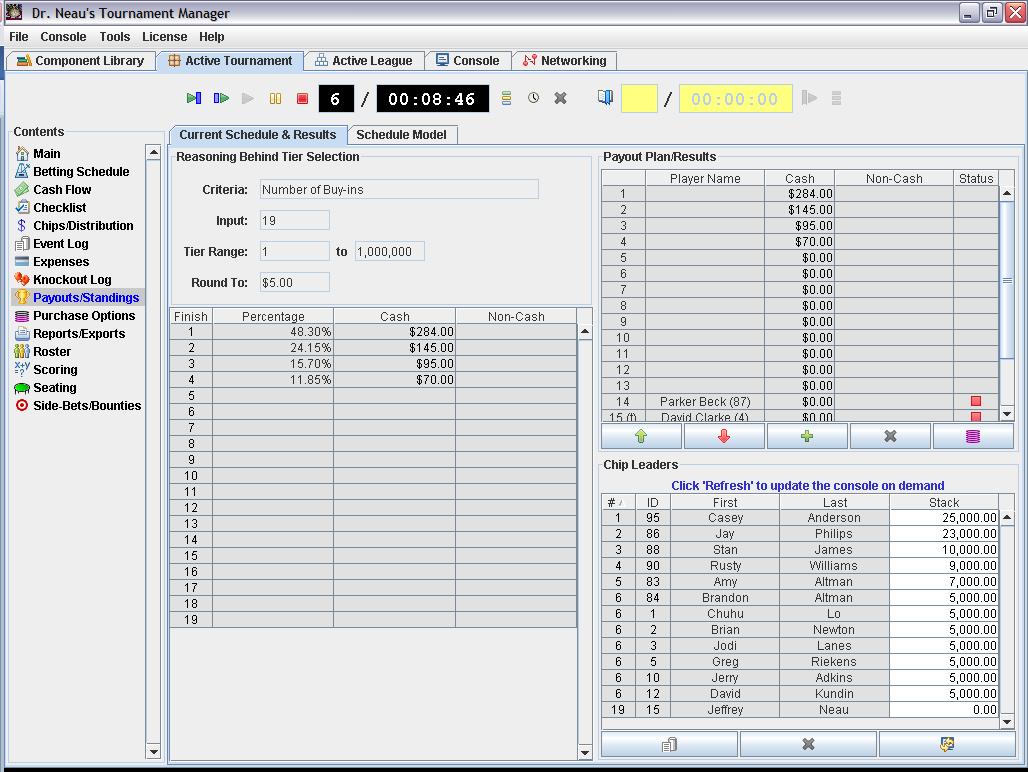
Tournament payout schedule |
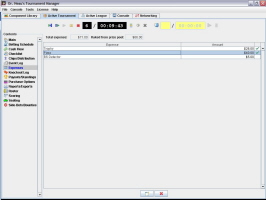
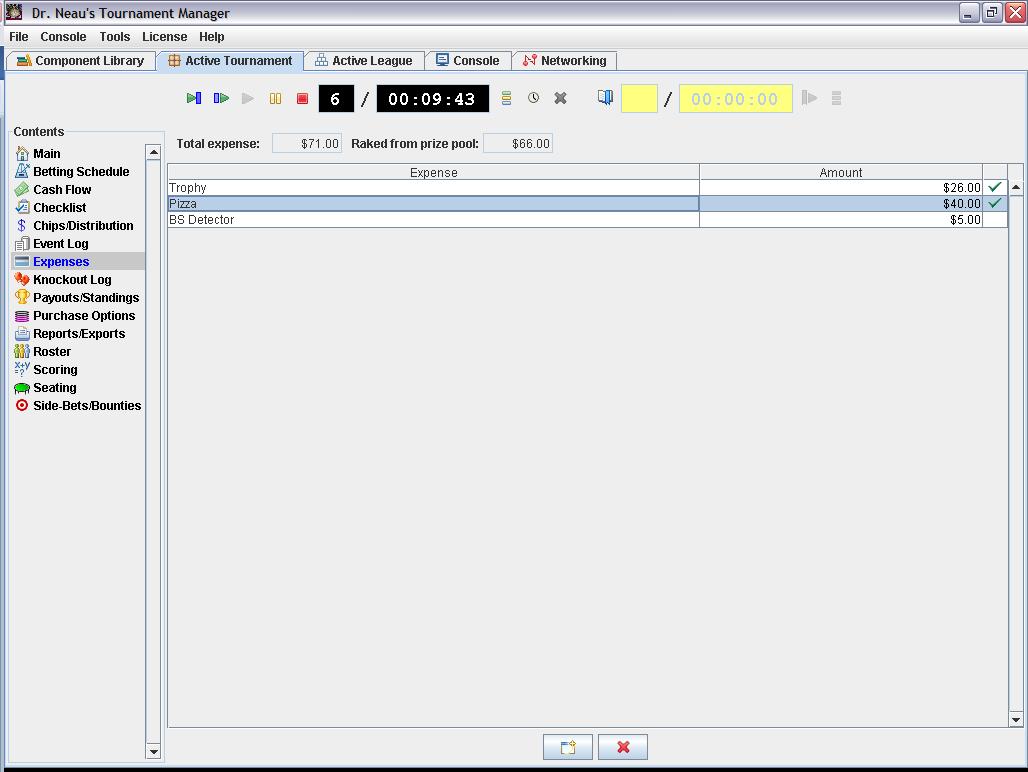
Tournament expenses |
Tournament cash flow |
|
|
Seating
management |
|
If
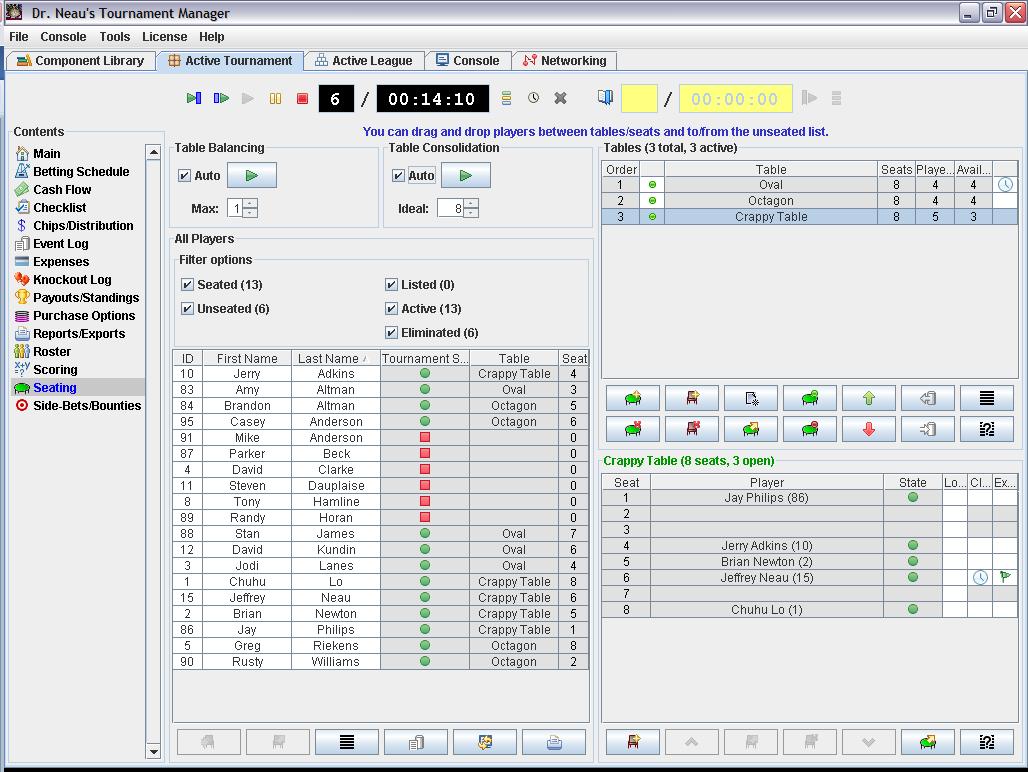
you need help, DrNTM will help manage your seating.
First, you enter your table names
and sizes, ordering the tables in preference of breakdown. You can
also specify the tables that are in the proximity of the software
(more to come in a bit). BTW: You guessed it, table
configurations can be saved as reusable components so that you don't
have to do this for every tournament.
Once you're ready, seat a group of
players. You can either select their seats one at a time or
seat them randomly. The random seating algorithm does the following
for you:
- Ensures tables are balanced,
- Ensures that there is a clock
operator seated near the software (if you desire), and
- Ensures that the game experts
are spread out among the tables (if you desire). This is a
feature you can use if you are introducing a new type of game
into your league and want to make sure that the people who know
all the ins and outs are spread out.
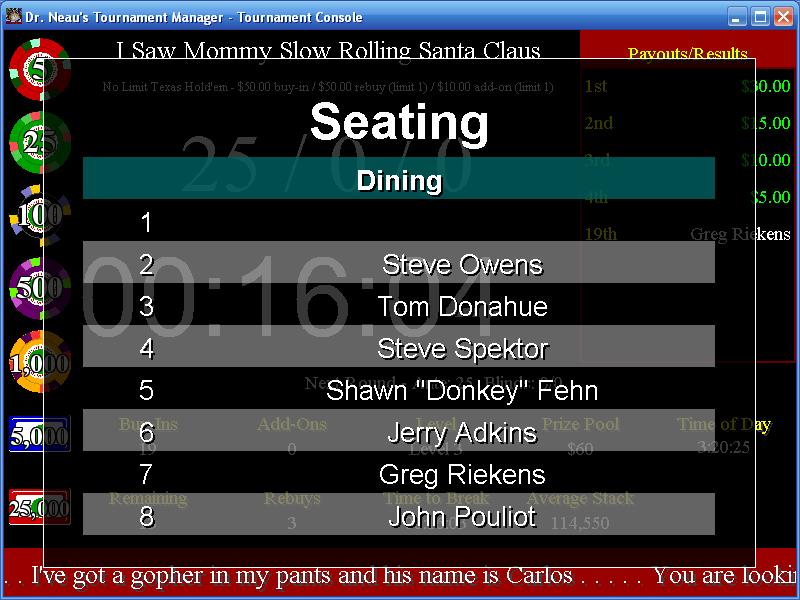
Now
that you have a seating chart, display it on the console for your
players to see. This is one of the many types of console overlays.
Seating can be displayed by table or by player, and you can select
how many tables/players are visible at once. If there are more items
to show than can fit on the screen at once, the overlay will rotate
through the data.
As players are eliminated, you'll
need to consider table balancing and consolidation. DrNTM will
tell you when this is necessary and recommend the appropriate
action.
If consolidation is required, the
app will let you choose two options:
- Move the people from the
breaking table and seat them randomly (you'd probably do this if
you still had 5 tables), or
- Randomly reseat *everyone* (you
might do this when down to 2 tables)
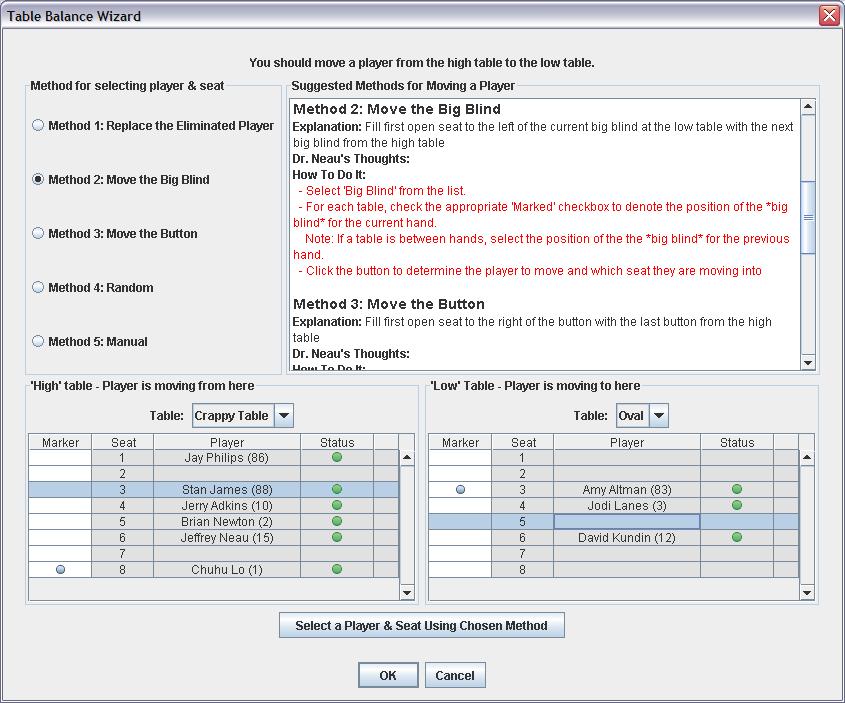
If
balancing is required, the Table Balancing Wizard will automatically
select the two appropriate tables and walk you through the process.
It helps you with 5 possible courses of action:
- Replace the eliminated player,
- Move the next big blind,
- Move the button,
- Random, and
- Manual
Each option is explained completely
right in the dialog so that anyone can do it.
Seating charts are periodically
logged to the tournament history, for your future reference. Back
to the top
|
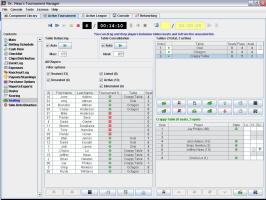
The tournament seating panel |
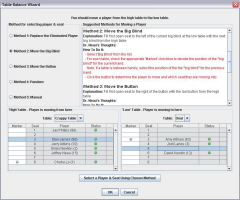
The table balance wizard |
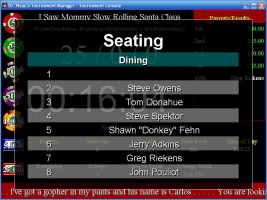
The console with a seating overlay |
|
| Chip case
management |
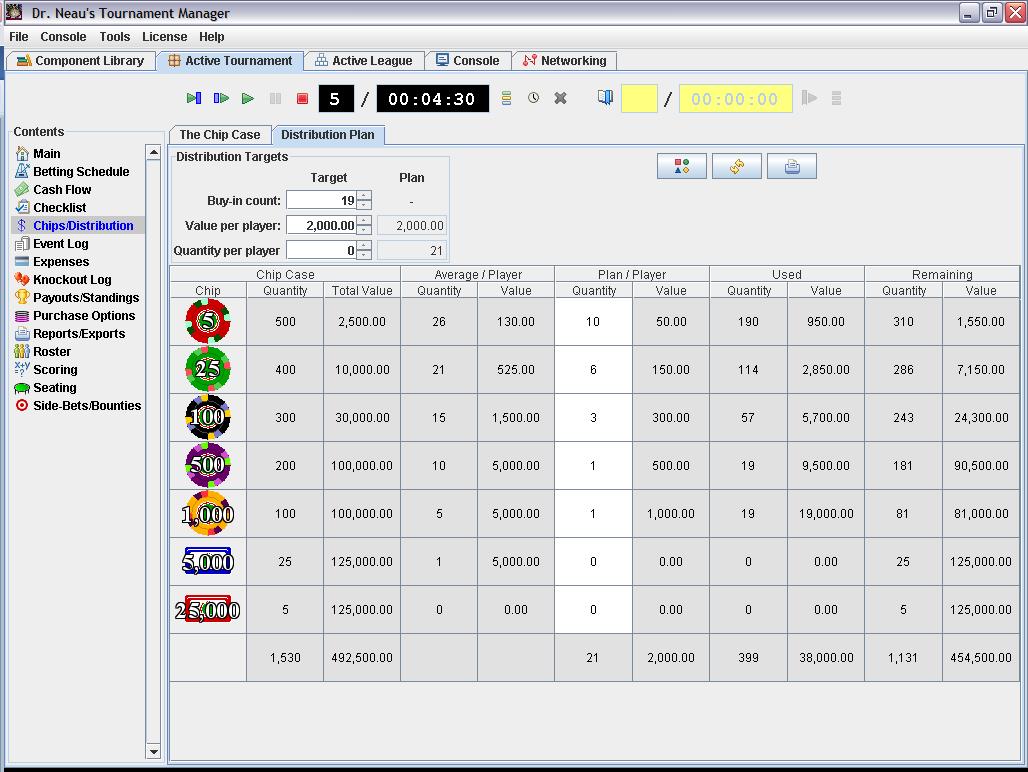
Each tournament has a "chip case". The chip case is used:
- To display the chips and their
values on the console,
- By the chip distribution wizard
to create an appropriate chip distribution,
- By the betting schedule to
recommend the best times for chipping up,
- By the betting schedule wizard
to create a betting schedule suited to your chip case, and
- By the chip distribution console
overlay to display the initial chip distribution with chips and
values
Each chip in the case is associated
with a "chip design" that determines the way that
chip looks when displayed on the console. DrNTM comes with 16 (and
growing) core chip designs that you can use...or you can create your
own using the chip design designer (and save it as a reusable
component).
Note the chip values can also
include numbers to the right of the decimal point...
Once you create a chip case you
like to use, you can save it as a reusable component so that you can
import it into future tournaments.
Back to the top
|
|
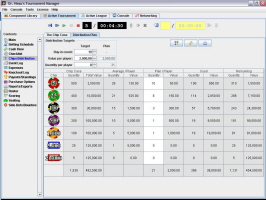
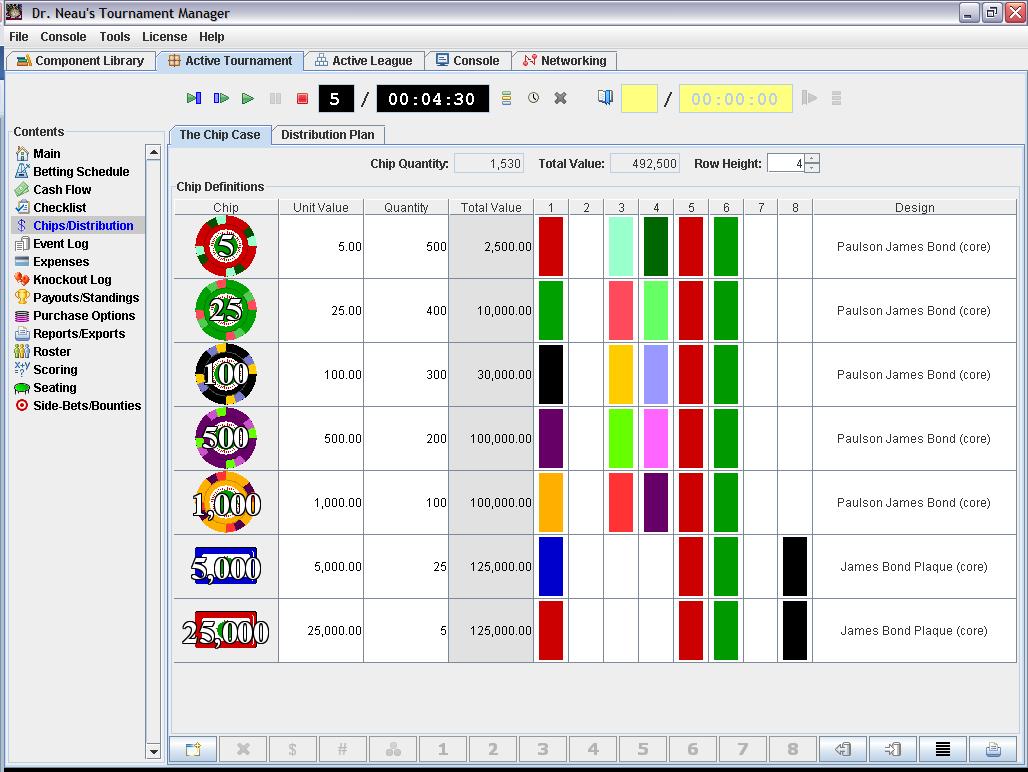
The chip case designer
|
|
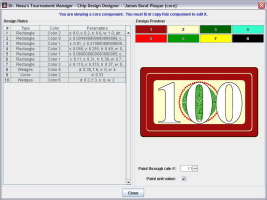
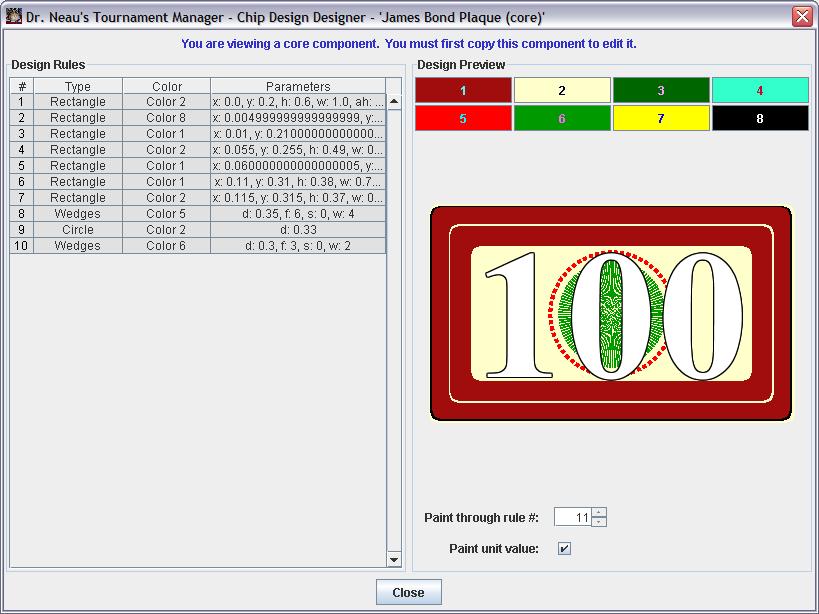
The chip designer, showing the design of a plaque
|
|

The tournament chip distribution planner |
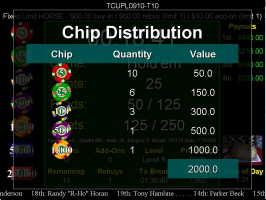
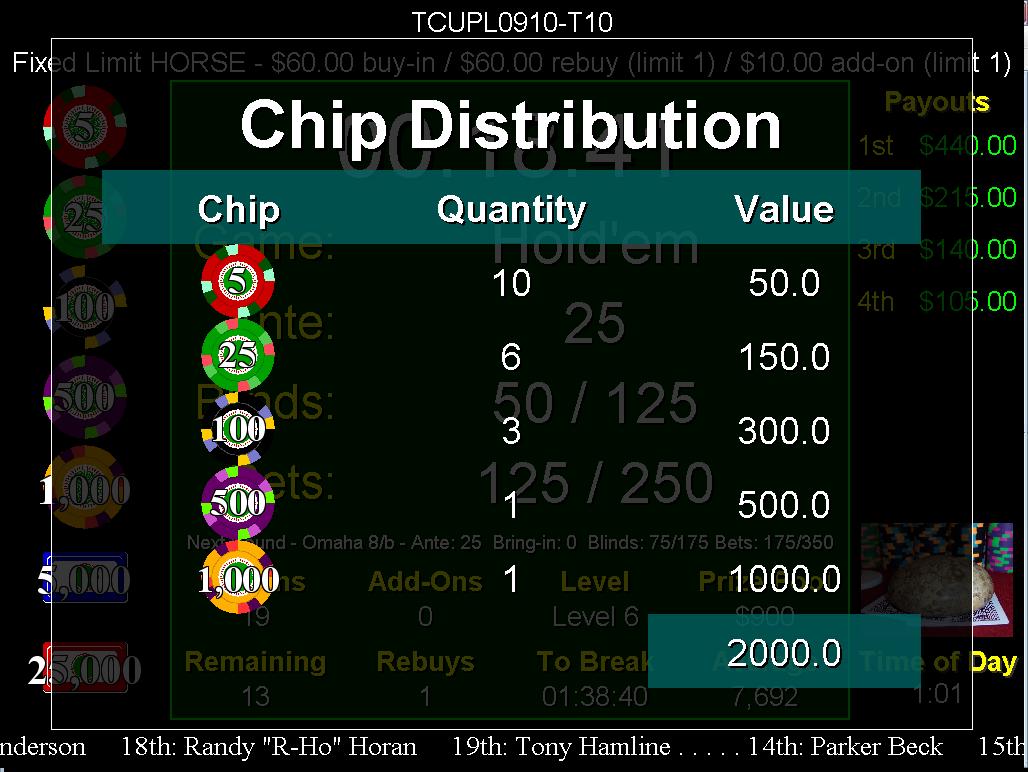
The initial chip distribution, displayed on the console |
|
|
Sidebet
management |
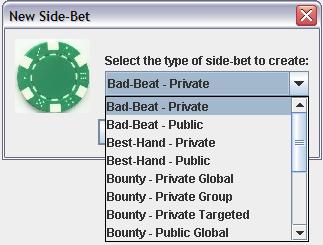 DrNTM
not only helps you track and
reward bounties, but it helps you manage side bets. DrNTM
not only helps you track and
reward bounties, but it helps you manage side bets.
For
bounties, there are five different types of bounties you can create:
- Public Global: Everyone
who enters the tournament is eligible for a reward, and everyone
is a target.
- Public Targeted: Everyone
who enters the tournament is eligible for a reward, but the
bounty is only on the players specified by the bounty.
- Private Global: Players
must buy into this bounty to participate. Everyone is a target.
- Private Targeted: Players
must buy into this bounty to participate, and only specific
players are targets.
- Private Group: Players
buy into a "group" where only the participants are
targets.
Every bounty type has options to
specify where the entry fee goes, how players are rewarded, what
types of knockouts count (first/last/all) and whether or not someone
gets a bounty if nobody else knocks them out.
DrNTM
also tracks other types of side bets. The following are included for
you:
- Bad Beat: Generally the
best losing hand of the tournament.
- Best Hand: The best hand
of the tournament.
- Last Longer: Who lasts
longest before being eliminated for the first time.
- Most Knockouts: Who
knocks out the most people.
- Generic: Anything else
you want to create a side bet around.
Each of the side bets can be public
(everyone participates) or private (people must buy in to
participate). Each has an associated payout plan if you want to pay
multiple spots...like the top three best hands. Back
to the top
|
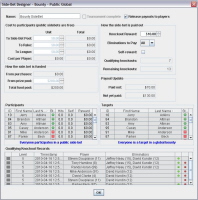
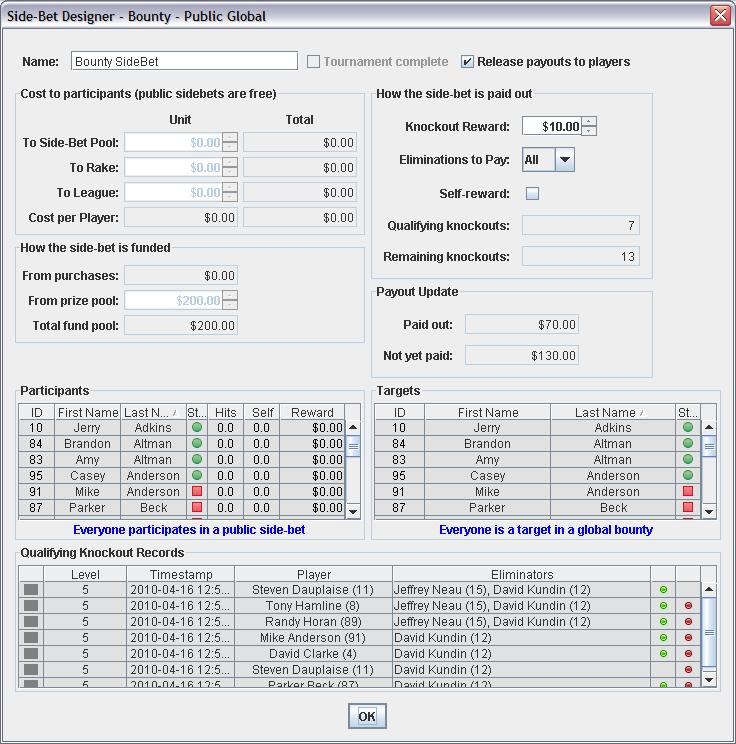
Details of a "Public-Global" bounty |
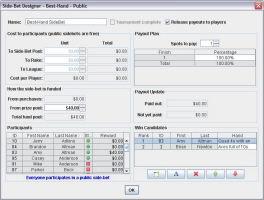
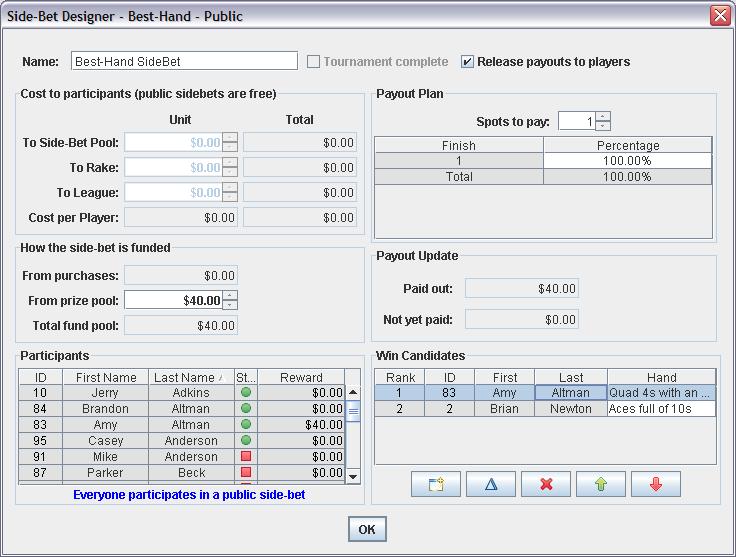
Details of a "Best Hand" sidebet |
|
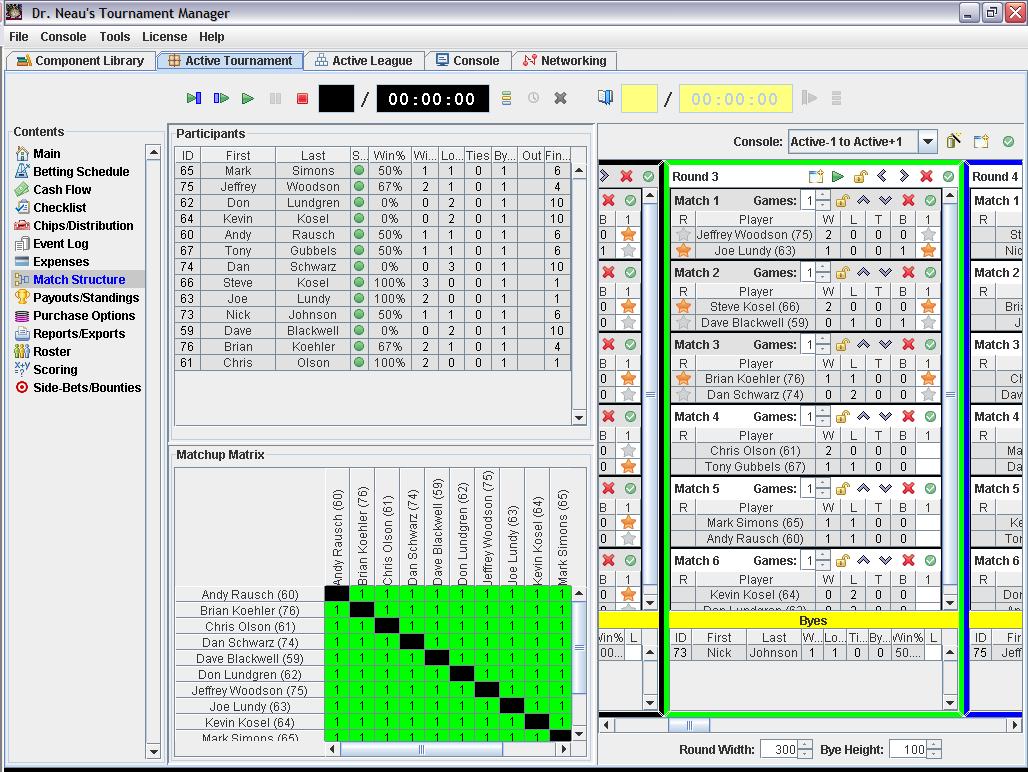
| Match-based
tournaments |
| In addition to a traditional poker
tournament, DrNTM can also help you manage match-based tournaments
like bracketed heads-up tournaments, round-robin heads-up
tournaments and sit-and-go series tournaments. See the tournament
types section for further details.
Back to the top
|
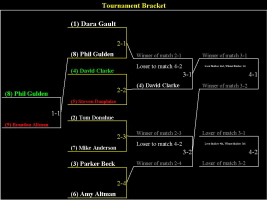
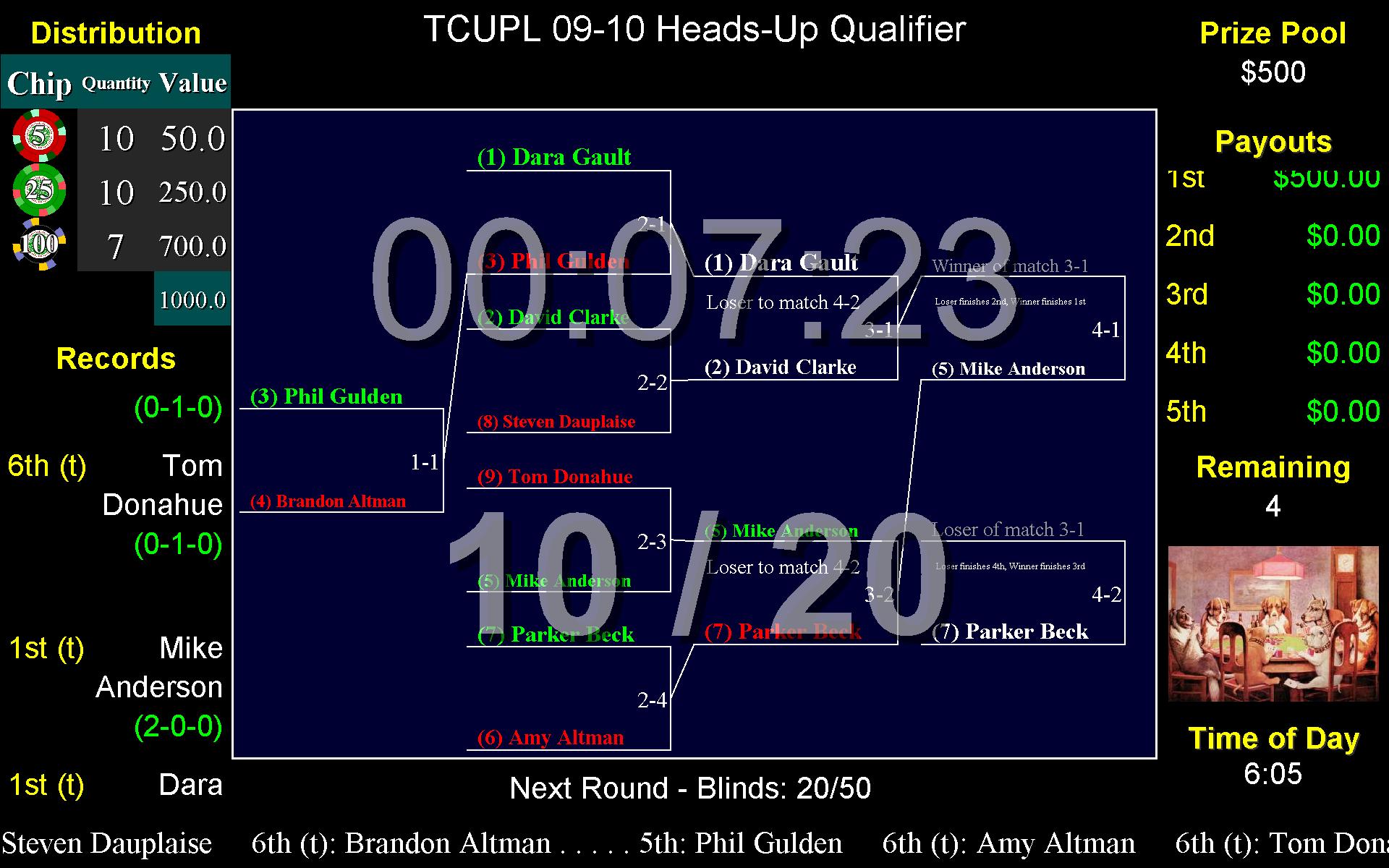
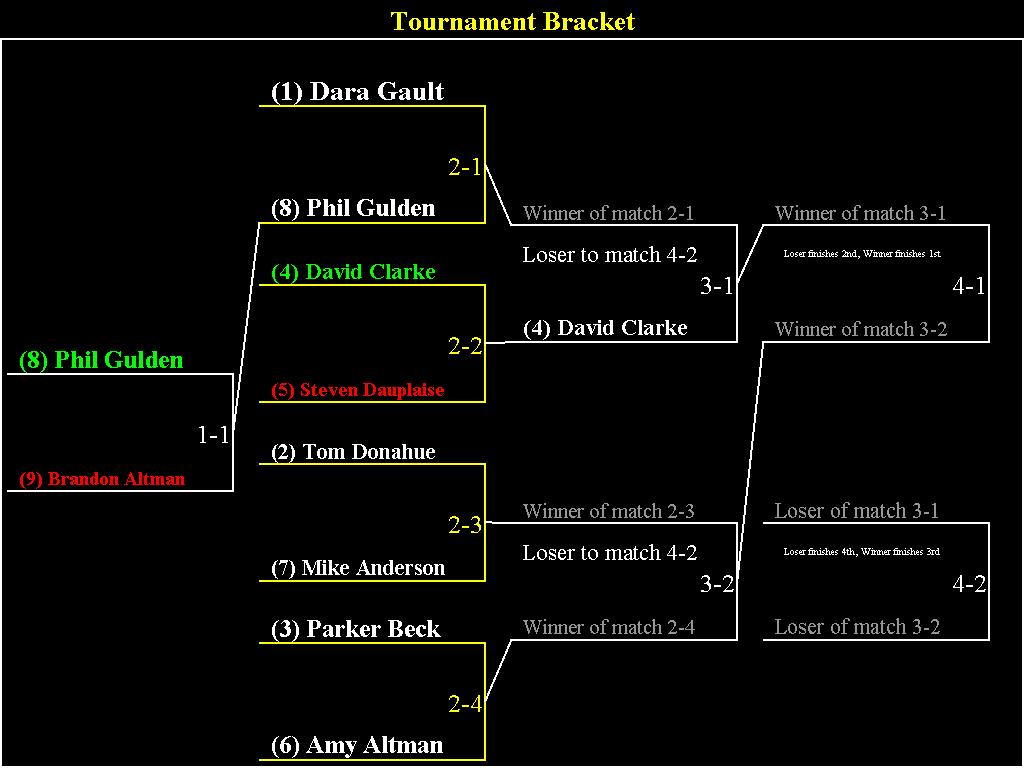
The console display of a bracket for a Bracketed Heads-Up
Tournament |
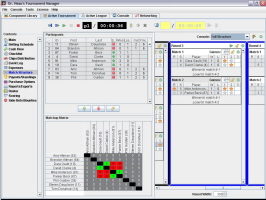
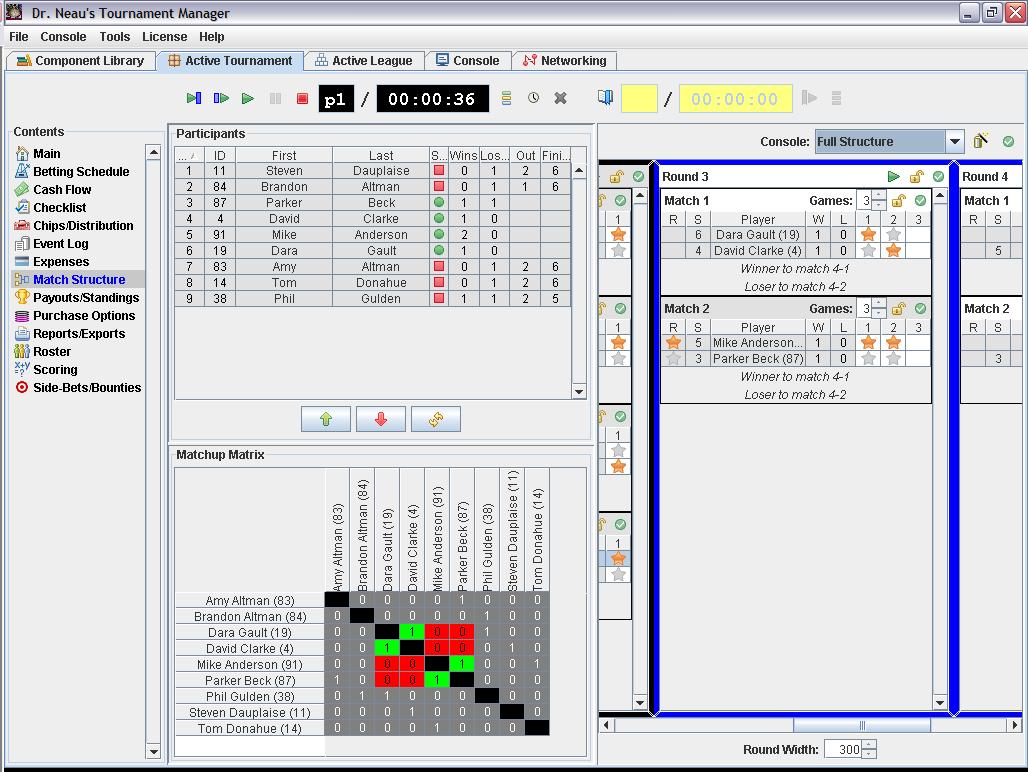
The bracket management panel
|
|
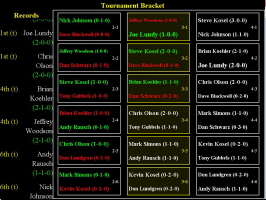
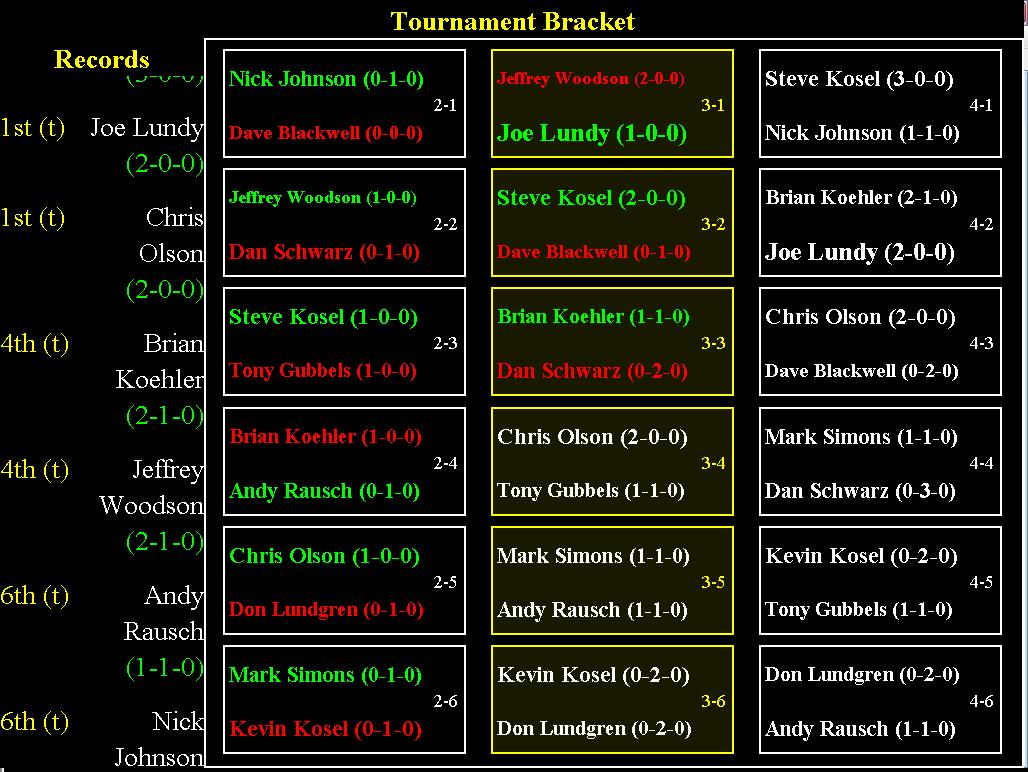
The console display of a structure for a Round-Robin
Heads-Up Tournament |
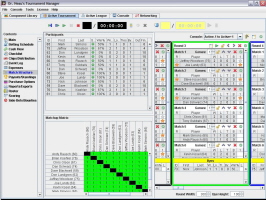
The round-robin structure management panel |
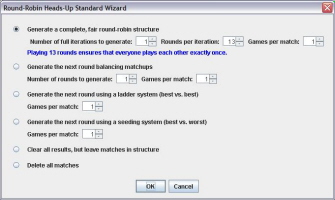
The Round-Robin Heads-Up Wizard |
|
| Planning
and logging |
|
Running
a good tournament requires a lot of planning. DrNTM can help
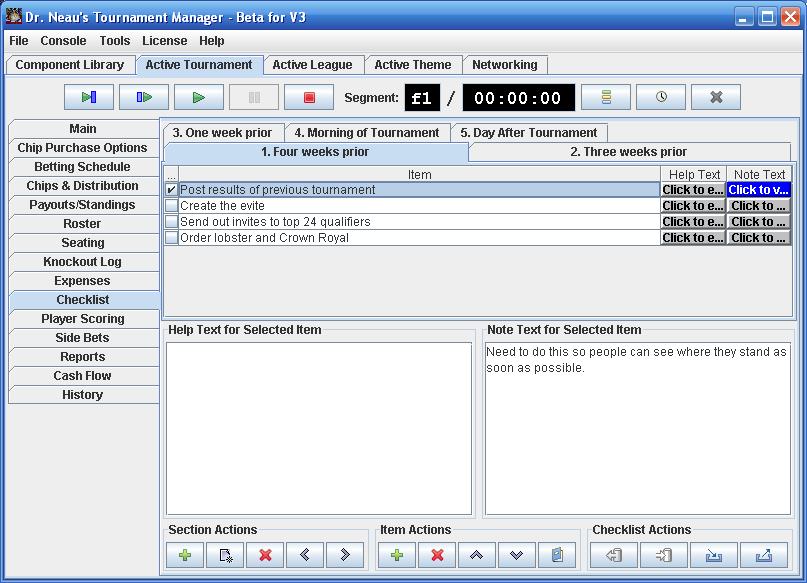
there also. Each tournament has a checklist that you can use to keep track of
your progress on all the tasks involved in planning and running your
tournament.
The checklist is divided in
sections that can represent whatever you want (I suggest time
periods, like "One Month Before the Tournament",
"Morning of the Tournament", etc.)
Each section can have any number of
tasks. Tasks can have supplementary help text (maybe details on how
to complete the task). You can also take notes on a task it you need
to. Finally, tasks can be marked "complete" once
you've performed them.
Once you create a checklist you
like to use, you can save it as a reusable component so that you can
import it into future tournaments.
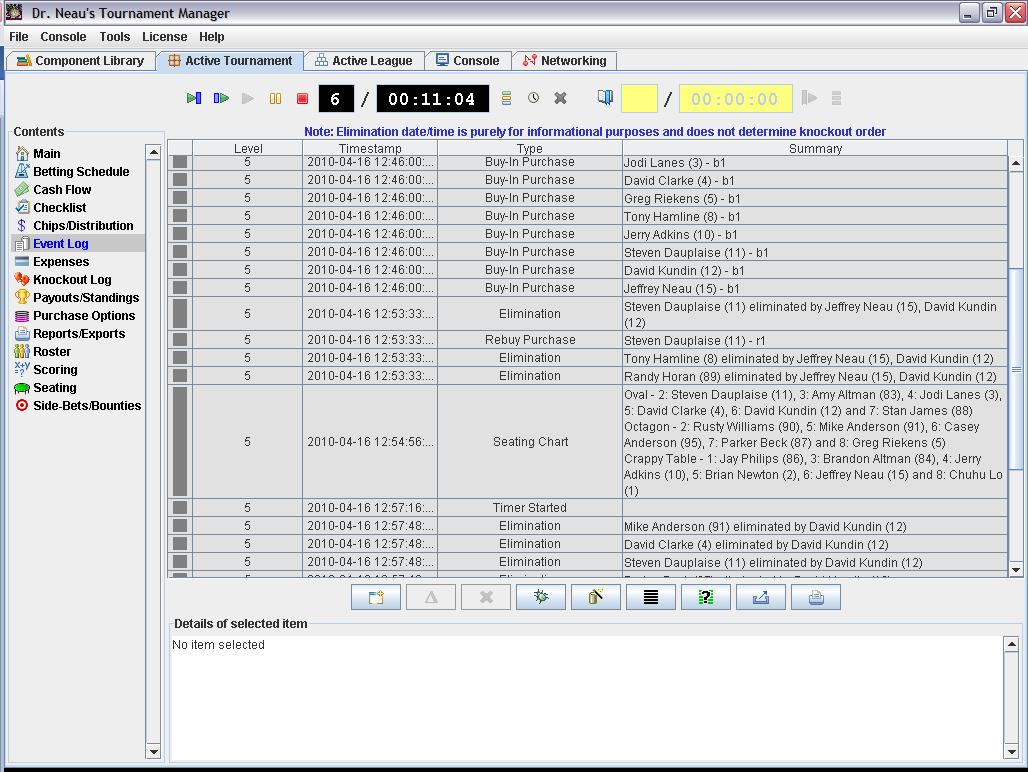
Once the tournament is complete,
you don't just want to know the end result...you want to know what
happened along the way. DrNTM keeps a complete history of
everything that happened...all buy-ins, add-ons, rebuys,
eliminations, level changes, breaks, seating, chip stacks,
etc. Each item in the log is completely editable and tracks
the level and time at which it occurred. I like to put the history
on my league site for everyone to see.
Back to the top
|
|
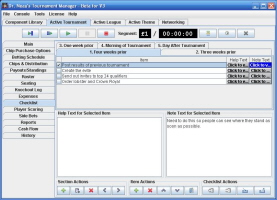
The tournament checklist helps make sure you don't drop
the ball on planning
|
|
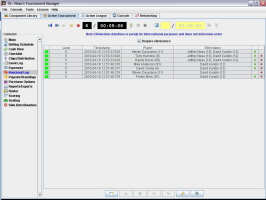
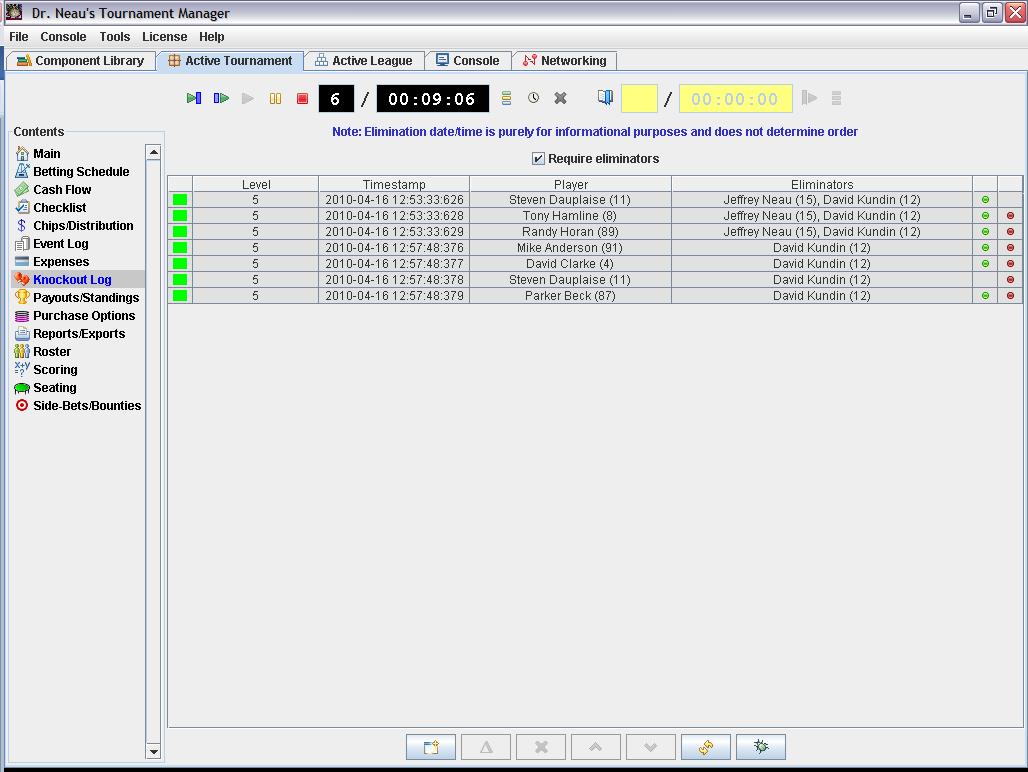
The tournament knockout log, displaying the details of
every single knockout |
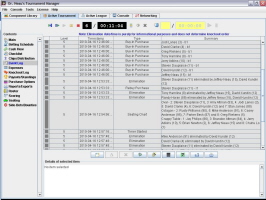
The tournament event log |
|
|
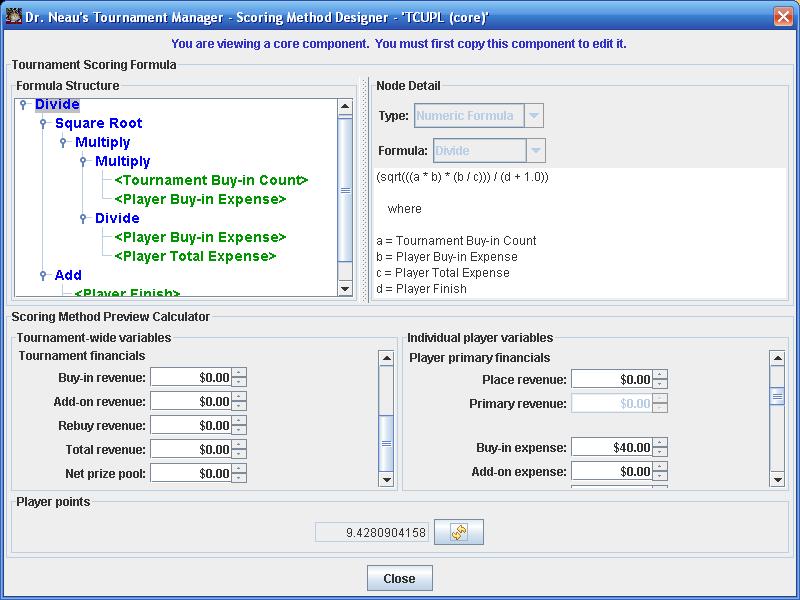
Scoring methods and
league standings |
|
If you have a league, you'll probably
want to assign scores to your tournament players.
DrNTM
offers three methods for
assigning scores to players:
- Scoring formula: You
create a formula that uses any combination of:
- Numeric constants
- Numeric formulas:
absolute value, add, ceiling, divide, exponential, floor,
maximum, minimum, multiply, natural log, power, round,
square root and subtract
- If/then/else statements
- Boolean constants
- Boolean formulas: "and",
"or" and "not"
- Numeric comparisons: =,
!=, >, >=, < and <=
- Player variables:
add-on count, add-on expense, bounty expense, bounty net
gain, bounty revenue, buy-in expense, finish, knockout
count, manual points, net gain, place revenue, primary
expense, primary net gain, primary revenue, rebuy count,
rebuy expense, secondary expense, secondary net gain,
secondary revenue, side bet expense, side bet net gain, side
bet revenue, total expense and total revenue.
- Tournament variables:
add-on count, add-on revenue, buy-in count, buy-in revenue,
net prize pool, rebuy count, rebuy revenue and total revenue
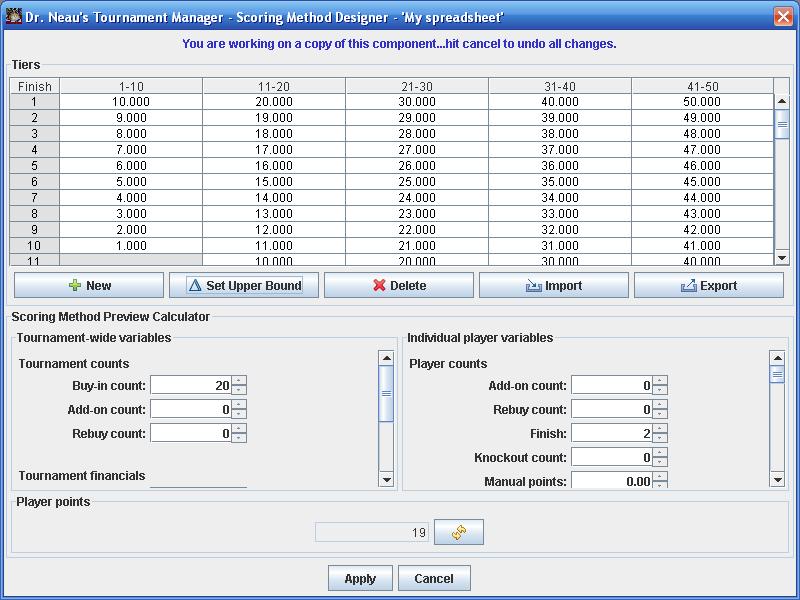
- Scoring spreadsheet: You
define the min/max of each tier and how many points each spot in
each tier receives.
- Manual: You can just type their
scores into the roster
Once you create a scoring method
you like, you can save it as a reusable component and use it in
other tournaments.
Scores are then rolled up into the
league standings (if your tournament is part of a league.) Within a league, you can decide:
- Which
tournaments count toward league rankings (for instance, you want
your championship to be part of the league, but it shouldn't
count toward rankings...or maybe it should...it's up to you)
- How scores are aggregated from
all qualifying tournaments: Total or average
- How many of each players top
scores to count...or to count all.
- Qualification criteria: Do
players have to play in a certain number of tournaments to
qualify?
- Excluded players: Do you need to
exclude any players from the league standings for any reason?
Need to share your league
standings? Click the report button to generate a league
standings report. Print it or save it to PDF, HTML, Excel, CSV,
RTF or a text file.
Back to the top
|
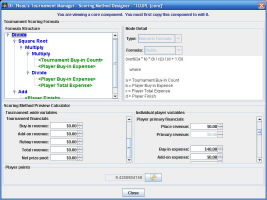
The scoring method designer
|
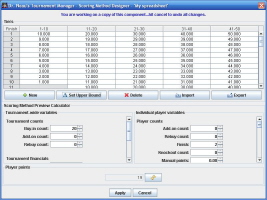
The scoring spreadsheet designer |
|
|
League management |
|
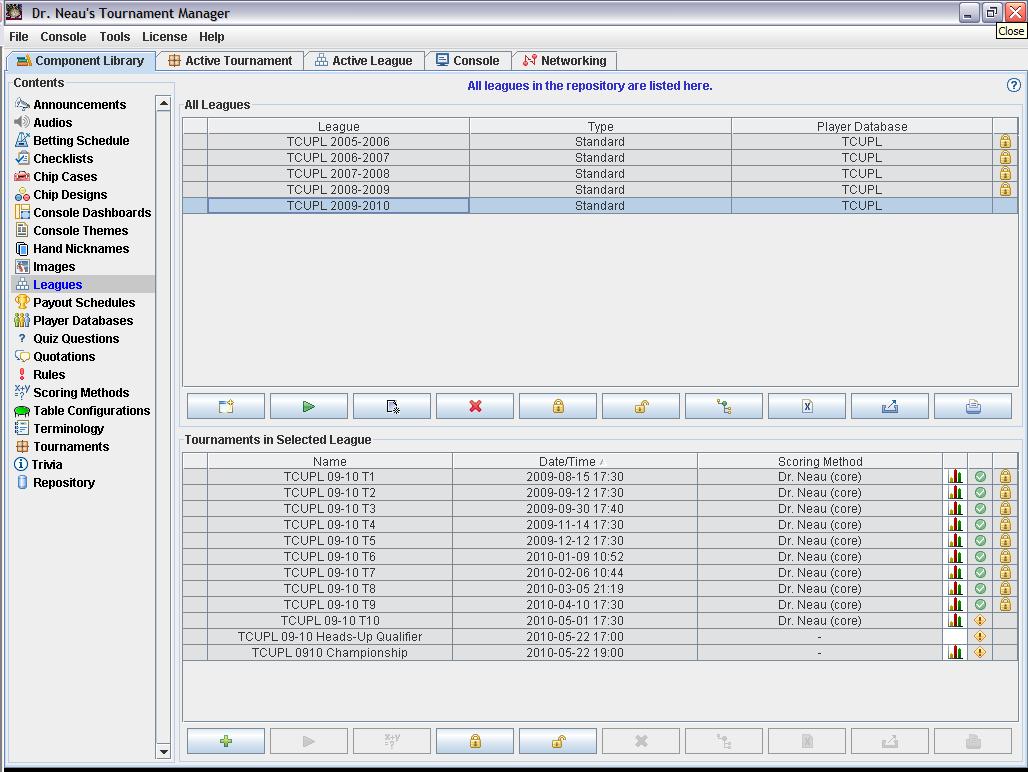
If you are running a
league, you can
create a league in DrNTM and manage your tournaments within the
context of a league.
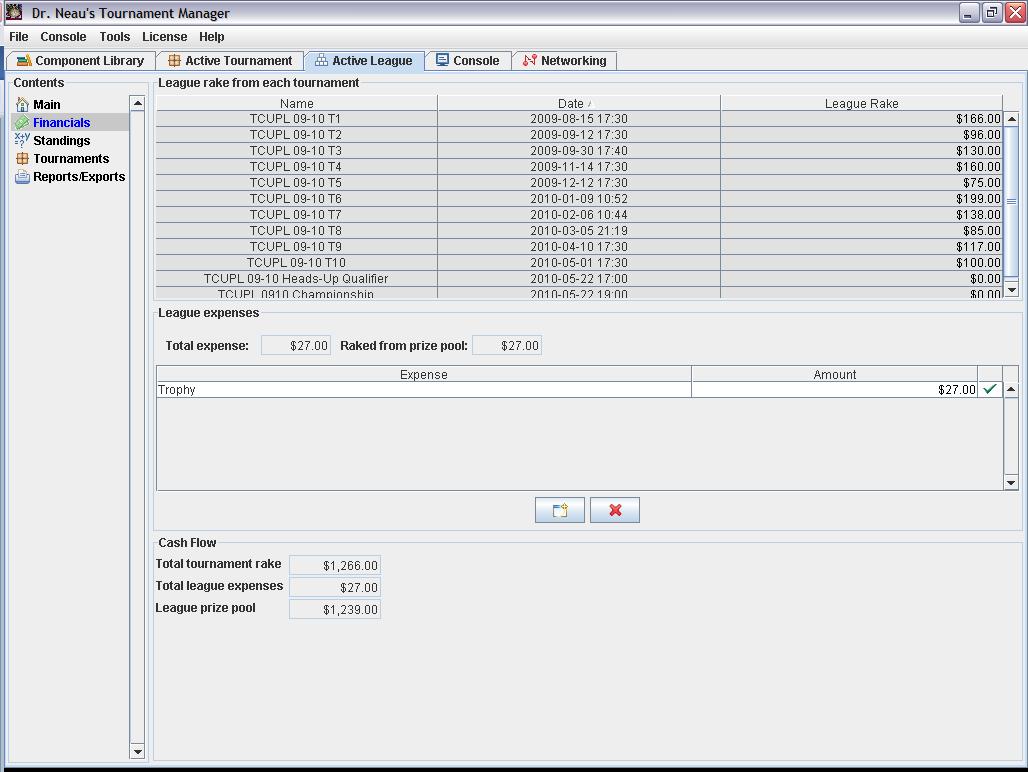
League contributions are
automatically rolled up from all league tournaments to calculate the
league prize pool. From that, you can deduct league expenses
(leagues have the same expense tracking capabilities as
tournaments).
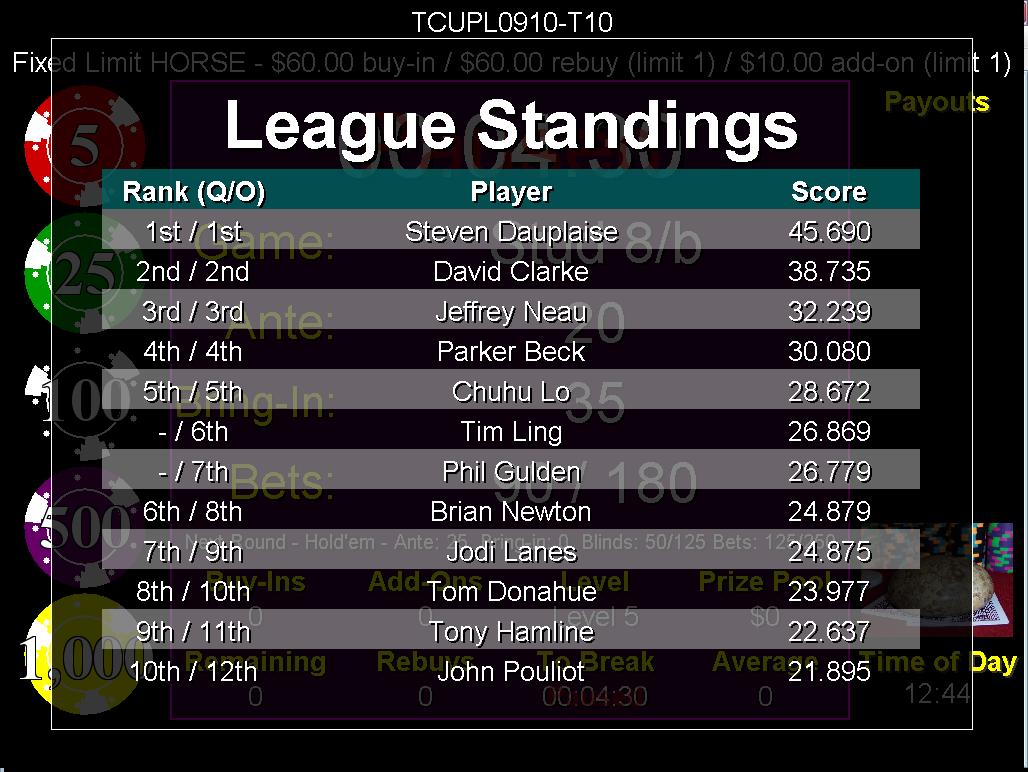
League standings can be displayed
on the console via components or overlays so that everyone in your
tournament knows exactly where they stand.
Back to the top
|
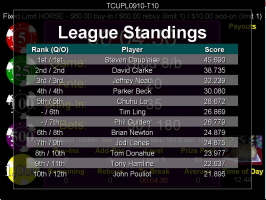
The league standings displayed on the console for all players
to see
|
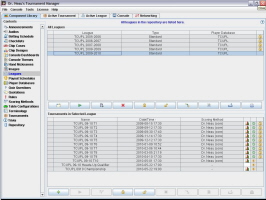
The league library panel, showing all leagues and
the tournaments that belong to them |
|
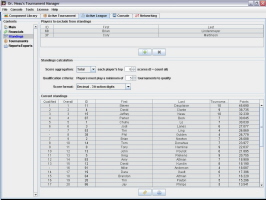
The configuration of the league standings, including the
ability to exclude players, set a minimum number of
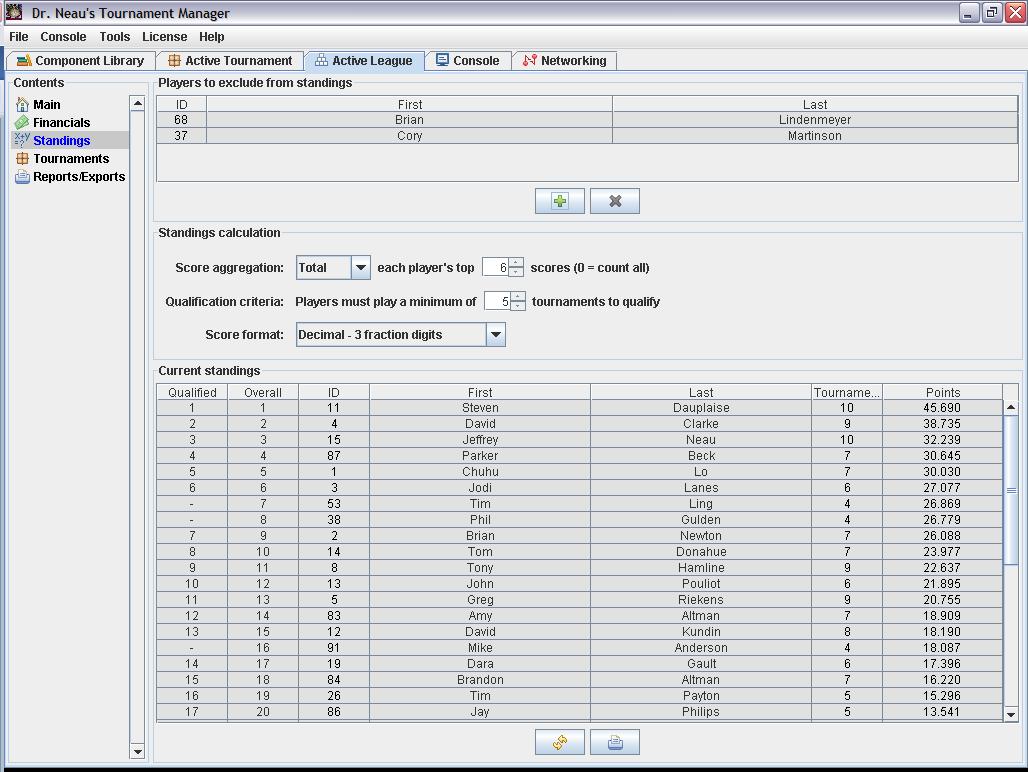
tournaments and only count the top "X" scores. |
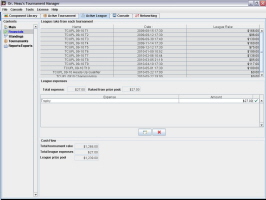
The league finances panel details the calculation
of the league prize pool |
|
| The
repository - Reusable components to simplify tournament creation |
You
can create components that can be reused to minimize rework. For
example, if you always use the same betting schedule, just create it
once...then load it into every new tournament you create. If
you've modified it within a tournament, then save it back into the
repository as a new component. 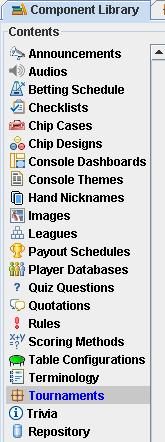 The application takes advantage of
the following types of components: The application takes advantage of
the following types of components:
- Announcement Collections
- An announcement collection is a set of announcements that you
want make during a tournament (possibly notices about future
tournaments, past results, etc.) These can be displayed in a
rotating fashion *over* the console (typically before the
tournament or during breaks) or via the scrolling announcement
marquee during play.
- Audios - Audios are used
by alerts to call attention to console. They can also be
associate with players so that, for example, a player's theme
song plays every time they eliminate someone.
- Betting Schedules - Most
people call these "blind schedules", but those people
don't play stud. Save your favorite betting schedules as
components so that you can reuse them in future tournaments. See
below for more detail on betting schedules.
- Checklists - A way to
keep track of what needs to be done for each tournament. Just
create a checklist and add it to each new tournament so that you
don't forget to do something important.
- Chip Cases - If you're
hosting tournaments, you probably have one or more chip cases.
You might even use a friend's chip case from time to time. Save
each configuration as a component for easy loading into new
tournaments.
- Chip Designs - Chip and
their values can be displayed on the console. If your chip isn't
represented by one of the designs built into the tool, you can
create your own (and then send it to me to include it in a
future release)
- Console Dashboards - The
dashboard is the collection of information the players see on
the screen. You can create your own dashboards to use over and
over. Tournaments can also use multiple dashboards. For example,
you might have 5 different dashboards for a HORSE tournament.
- Console Themes - A
console theme defines the dashboard, alert and announcement
settings for a tournament, as well as what information from the
various collections should be displayed and when. Rather than
having to define the settings for each tournament, you just
create a theme that has the settings you want, then tell the
tournament which theme to use.
- Hand Nickname Collections
- Purely for entertainment purposes. You can have the console
display hands and their nicknames (usually before a tournament)
to keep people entertained while they are waiting for the
tournament to begin.
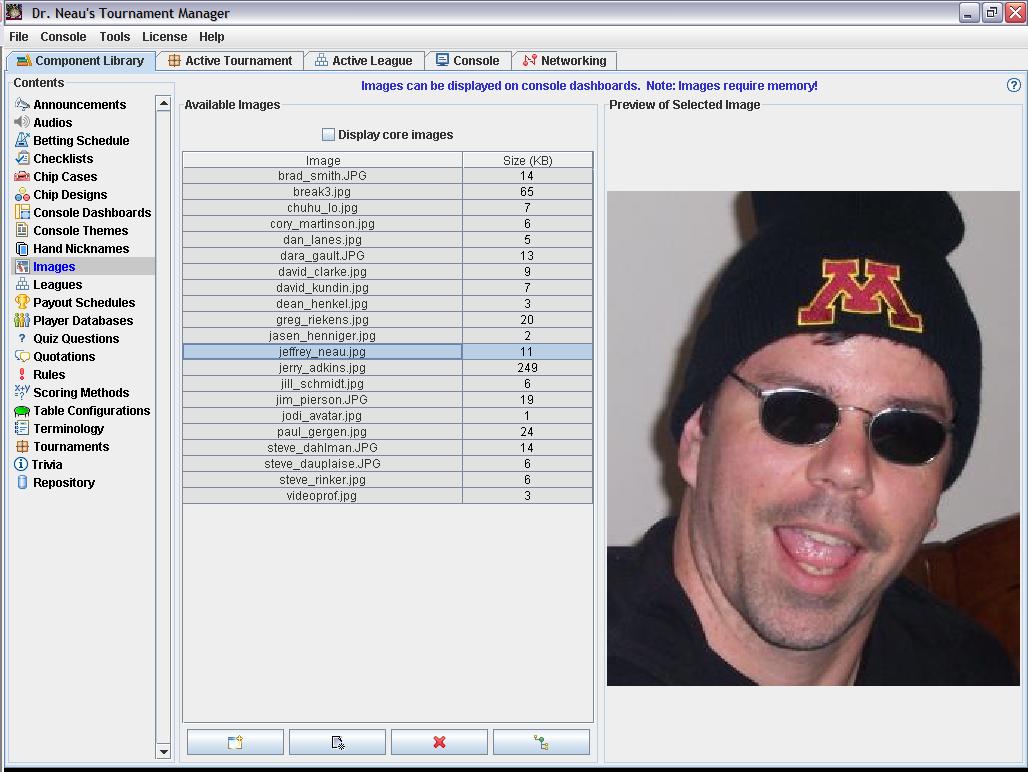
- Images - Images are used
two ways: As images on the console, and as player avatars. The
player avatars can be used for identification purposes, but for
more fun they can be used to display a picture of the person on
the console during an alert (for instance, display someone's
picture when they are eliminated).
- Payout Schedules - Rather
than redefining a payout schedule for each tournament, create
components and reuse them.
- Player Databases - If you
are tracking players in your tournament, those players are part
of a database. That allows you to simply add players to your
tournament roster from the database (or you can create them on
the fly and add them to the database at buy-in time if needed.)
Create as many player databases as you wish. See below for more
detail on player databases.
- Quiz Question Collections
- Again, for entertainment purposes. You can have the console
display quiz questions and their answers (usually before a
tournament) to keep people entertained while they are waiting
for the tournament to begin.
- Quotation Collections -
Again, for entertainment purposes. You can have the console
display quotes and the name of the person who said that quote
(usually before a tournament) to keep people entertained while
they are waiting for the tournament to begin.
- Rule Collections - Like
the other collections, but this one has a more important
purpose. You can have the console display your tournament/league
rules (usually before a tournament) for people to see while they
are waiting for the tournament to begin.
- Scoring Methods - If you
want to track performance using a scoring system, you can create
your own scoring methods and save them as reusable
components...then just tell each tournament which scoring method
to use.
- Table Configurations -
Rather than naming, sizing and ordering tables for each
tournament, just create reusable components and load them up at
tournament creation time.
- Terminology Collections -
Again, for entertainment purposes. You can have the console
display terms and their definitions (usually before a
tournament...and you'd probably limit it to poker terminology)
to keep people entertained while they are waiting for the
tournament to begin.
- Trivia Collections -
Again, for entertainment purposes. You can have the console
display bits of trivia to keep people entertained while they are
waiting for the tournament to begin.
Utilizing components makes the
creation of a new tournament a snap.
As stated at the top of this page, all data used by DrNTM lives
inside a repository. The repository is just a directory structure,
but the fact that everything is in single directory makes it simple
to move it to a new location on your file system, copy it to another
system, zip it up and email it to a friend, or even zip the whole
thing up and email it to Dr. Neau for debugging if necessary.
When you start the application, it
remembers the location of the last repository you used. If you
moved it or want to use a different one, you just point to it and
hit "OK".
Back to the top
|
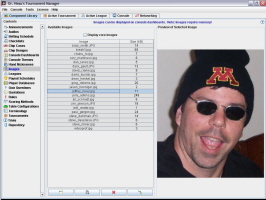
The image library |
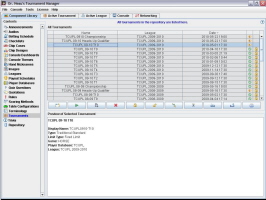
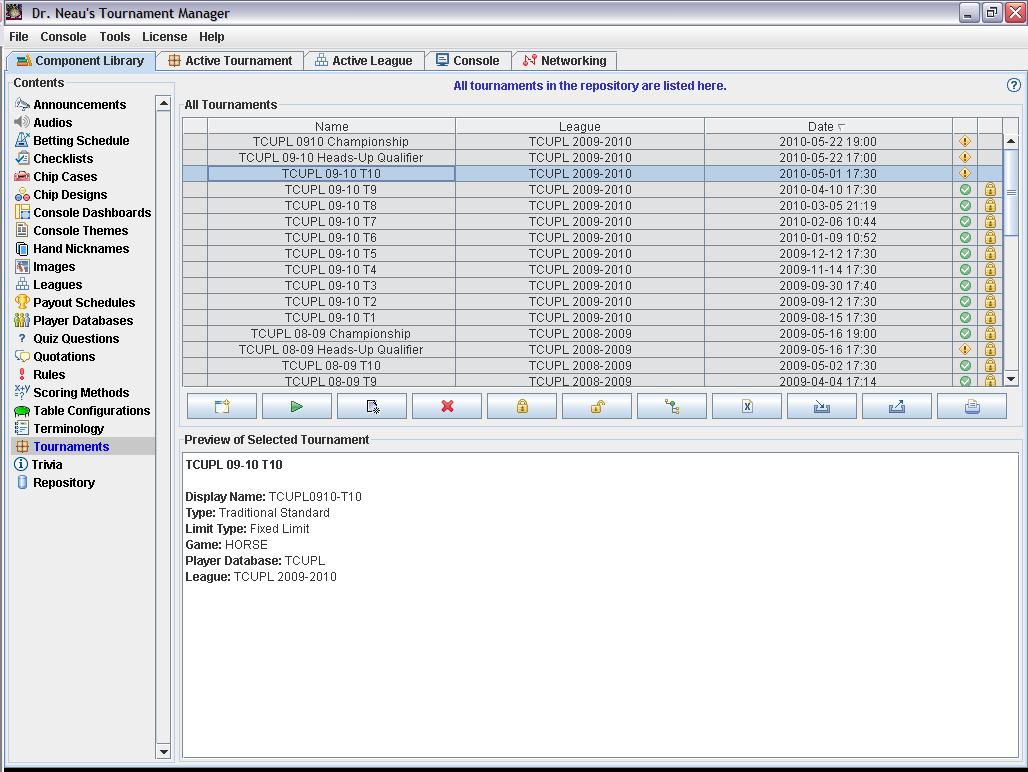
The tournament library |
|
|
Multiple tournament
types |
DrNTM
currently has two types of tournaments, and more will be added in
the future. The two types available today are:
- Traditional-Standard:
This type lets you take advantage of all of the features above.
This type of tournament is great for:
- Home or bar leagues where
you need to track every player and every finish because
points are awarded all the way down to the first person out
- Home tournaments where you
want to track the complete history of everything that
happened
- Traditional-Simple: This
is a stripped-down tournament. It does not have an
associated player database. Rather than buying players in, you
simply denote how many buy-ins (or add-ons or rebuys) you have.
Rather than eliminating players, you simply change the number of
remaining players. Because you aren't tracking players,
there is no tracking of bounties or side bets. You still define
chip purchase options the same way. You still have all the same
capabilities for the betting schedule management, chip case
management, payouts, expenses, checklist. You even get a
scoring calculator where you can enter parameters to calculate a
score. You just don't track players. Note that even
though you aren't tracking players from a database, you can
still enter player names in the standings for recordkeeping and
display on the console. This type of tournament is great
for:
- Any tournament
(home/bar/casino) where you don't really care about tracking
all the players but still want a quality tournament
management system to do everything else.
- Shootout-Standard: Like a Traditional-Standard, but with special help for planning
and managing a shootout.
- Shootout-Simple:
Like a Traditional-Simple, but with special help for planning
and managing a shootout.
- Bracketed Heads-Up Standard:
Players participate in a heads-up bracketed tournament, just
like the NBC Heads-Up Challenge. The application manages
everything you need from player seeding, bracket creation
(single or double-elimination...triple and quadruple coming
soon), recording match results, etc. No more relying on
printed out brackets. Display the updated bracket on the
console!
- Round-Robin Heads-Up
Standard: Players participate in a heads-up round-robin
tournament. The player with the best record wins.
Normally, you'll have everyone play everyone, but partial
structures are allowed also. The application provides a
wizard to create the match structure, manage and track results,
etc. Matchups are displayed on the console.
- Round-Robin Heads-Up
Fixed-Elimination Standard: Just like a Round-Robin
Heads-Up, except that players are eliminated after a defined
number of losses.
- Sit-and-Go Series Standard:
A series of "sit-and-go" multi-player matches.
Players are awarded points for their finish in each match.
The player with the most points at the end of the tournament
wins. The application provides a wizard to create the
match structure, manage and track results, etc. Matchups are
displayed on the console.
- Sit-and-Go Series Rising
Water Standard: Just like a Sit-and-Go Series, except that
each round has a minimum point threshold that players must reach
in order to continue playing.
Future releases will bring
additional tournament types. Here's what I have in mind:
- Complex:
If we eventually get there. Could be a multi-stage
tournament with a freeze-out followed by a seeded bracket, or
whatever you want it to be.
Back to the top
|
| Hand timer and odds/insurance
calculators |
Included in the application you'll find a hand timer for putting
people on the clock. You'll also find full-featured odds calculators
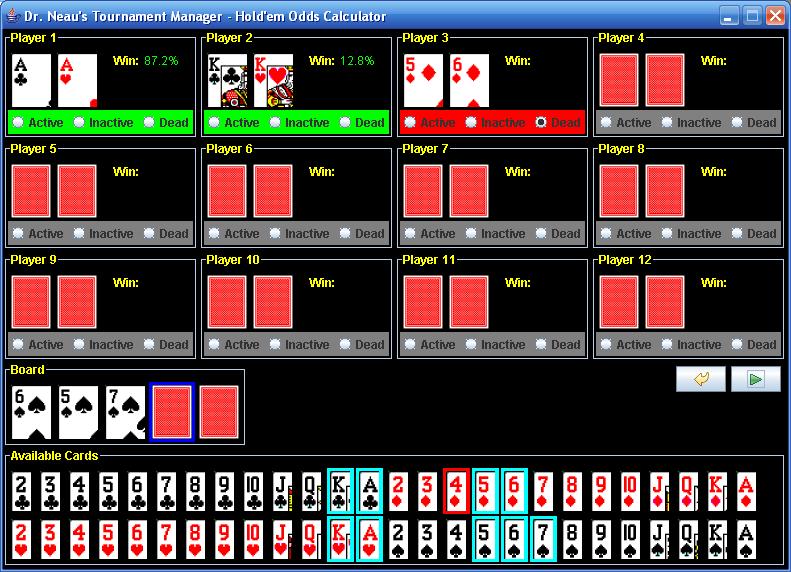
for Hold'em and Omaha (Omaha 8/b coming soon). In addition to simply
getting odds on live hands, the odds calculators also let you denote
hands and cards that you know are dead so that they aren't included
in the odds calculation.
Each of these tools are executable
from the server or the client.
Back to the top
|
|
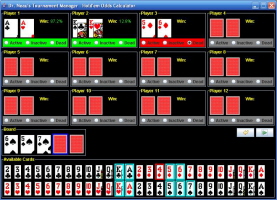
Odds calculators are available for your use
|
|
| Reporting,
printing and exporting |
Where
it makes sense, I'm adding reporting capabilities. This
enables you to create a report from some entity (like a betting
schedule, league standings, etc.) that you can:
- Print
- Save as PDF
- Export to Excel
- Export to RTF
- Export to HTML
- Export to CSV
- Save as a text file
If you have a league website, you
may be able to take advantage of these reports to quickly get data
onto your site.
If you use sites like PokerDIY or
StatsGenie, you can export an entire tournament in a format that
those sites can import. |
|
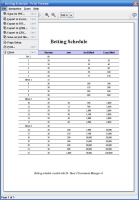
An example of one of the printable reports
|
|
|
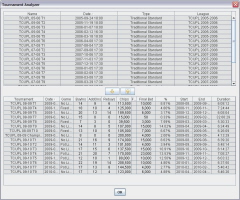
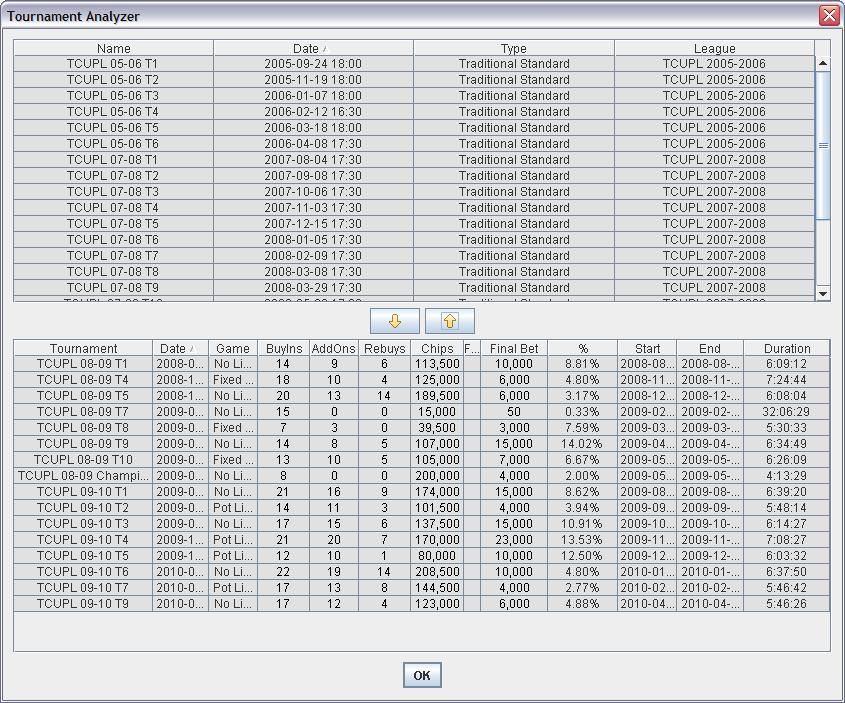
The tournament analyzer gives you the finishing ratios for
every tournament, to help you better estimate when future
tournaments will end
|
|
| Help system |
| DrNTM
has a multi-faceted help system.
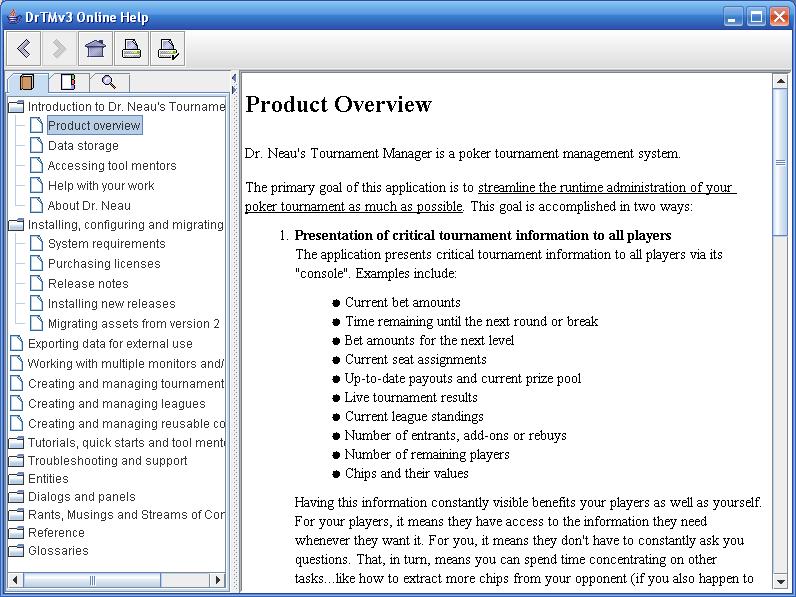
First, the application has built-in
help utilizing the Java Help System. That means that you're
getting a full-featured, structured help system with a table of
contents, searching, indexing and printing. The help system will
eventually provide detail on every entity, every panel and every
dialog as well as providing tool mentors. Now it's just up to Dr.
Neau to make the content as robust and helpful as possible.
Second, many of the more involved
operations have wizards to walk you through them...such tournament
creation. Wizards tell you exactly what you need to do when
you need to do it.
Third, Dr. Neau provides provides
videos on drneau.com that demonstrate and discuss the various uses
of the application.
Finally, there's the forum...a
great place to pose question and get the answered...not only by Dr.
Neau, but by other users.
Back to the top
|
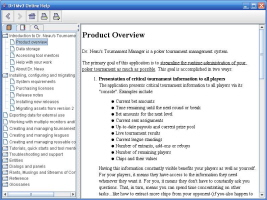
The built-in help system is comprehensive
|
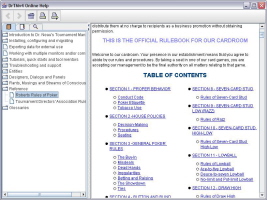
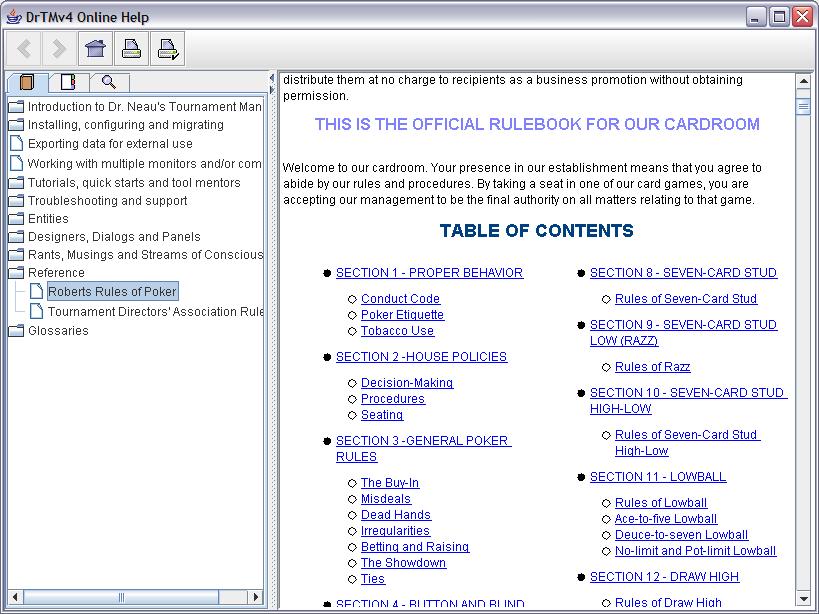
Roberts Rules and TDA Rules built into the help system
for quick reference |
|
| |
|
| |
|
|
| |
|
| Recent
News |
| Dr.
Neau's Tournament Manager can now manage matched-based tournaments
(Bracketed Heads-Up, Round-Robin Heads-Up and Sit-and-Go Series) |
| Download |
| Jump
to the Download
and Licensing
page.
|
| Pricing |
| Jump
to the Download
and Licensing
page.
|
| System
requirements |
| Operating system - Any, as
long as it supports Java 1.5 or higher. The
Java
Runtime Environment
is free to download.
Processor - 400MHz minimum
recommended
Video - 800x600 minimum
recommended |
| Release
Notes and Development Plan |
| Current
release notes are always available here.
The notes include
all changes starting with v3beta4.0. Additionally, they detail
future plans.
|
| Support |
| If
you need to get a question answered, you have two options:
1. Send email to
support@drneau.com.
2. Post a question
in the appropriate forum in the bulletin
board.
Dr. Neau will get
back to you as soon as possible. Note that he may ask you to zip up
your entire repository and email it to him.
|
| Bulletin
Board |
| An
online
discussion forum for the users of Dr. Neau's Tournament
Management System |
| Video
Learning Modules |
| See
the course
catalog. If
you're having trouble viewing the course catalog, jump straight to my
YouTube page. |
| Component
Library |
| My
fabulous users have submitted components that you can download and
use:
Click
here to see the component library
Send your
components to me if you think others can benefit from them. |
|
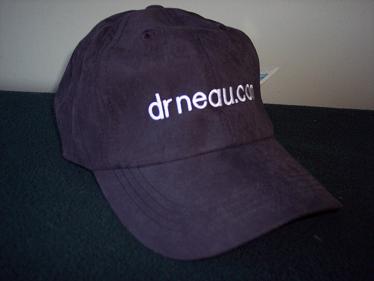
Dr.
Neau Baseball Cap |
Get them while they're still
available! Approximate cost: $13 (includes shipping)
Contact
Dr. Neau
for ordering
details
Wearing a Dr. Neau cap
does not necessarily improve your results |
| Facebook |
| Are
you on Facebook? Join the Dr. Neau Zealots group: Another way to get
updates.
|
|
Customers |
|
Commercial
casinos / businesses / bar leagues
5th
Street Poker Parties - A Twin Cities-based organization focused on helping
you host a professional-style poker tournament.
Action
shot.
Budapest
Poker Open - Held at the Las Vegas and Tropicana casinos in
Budapest, 11/27/05 - 12/4/05
Medina
Poker League - The best damn poker bar in the Twin Cities -
Charter member of the
Amateur
Poker League.
Action
shot.
Private
leagues
Elite
Poker Tour - Check out their game room!
Haps
Invitational
Ho-Chuck
Poker Room
Jeff
& Steve's Poker League - The league that spawned Dr.
Neau's Tournament Manager
Johnson
Brothers Poker Series
Lucky
Dog Poker Society
Silverlake
Rounders
Turn
n' Burn Rounders
Twin
Cities Underground Poker League
Wednesday
Night Poker - Ohio based league
Wet
College Radio Poker League
- Based in Ohio, where home games are legal
Witney
No-Limit Hold'em Poker League - Poker Club in the United
Kingdom.
|
|
Partners |
|
Play-to-Win
Company - Blackjack Simplified - Products to improve your
Blackjack game...the "Quick Reference" strategy card and
the "How to Play Blackjack" brochure.
Home
Series of Poker - A free online league
Manager...and
it can import information from Dr. Neau's Tournament Manager!
Home Poker Tour - A free
website that can be used to schedule and manage your home poker
tournaments in the form of a home poker league...Dr. Neau's
Tournament Manager can export files to the required format.
Home Poker Tourney -
The site for information on running your own poker tournament.
Poker
DIY - A
poker league management site for connecting poker players...and
it can import tournaments from DrNTM.
|
| History
of DrNTM |
1983
- Dr. Neau gets an Apple IIe for Christmas. He and "The
Eradicator" begin work on their first application: D&N's
Dungeons and Dragons Assistant
1992 - Dr. Neau gets his degree in Computer Science and goes
to work for Cray Research.
1996 - Dr. Neau writes his first Java application - A sports
"Magic Number" calculator.
1999 - Dr. Neau gets his Masters in Software Engineering
2004 - (January) Dr. Neau and The Eradicator host their first
tournament. It was a logistical disaster. Work begins on
something to help.
2004 - (February) Dr. Neau creates and uses his first blind
timer...just a timer with sounds. Several Excel-spreadsheet based
solutions are tried. At one point, he has the Java timer, an Excel
chip calculator, an Excel result/payout tracker and a Java seating
manager...all separate.
2004 - (June) Dr. Neau makes "Dr. Neau's Tournament
Manager, v1" available to the public for free. People tell him
he should charge for it.
2005 - Dr. Neau releases v2. People actually pay.
The Rock is banned from Canterbury Card Club. He
continues enhancing the application through mid-2006.
2006 - Work begins on v3.
2009 - v3 is released.
2010 - v4 is released.
Dr. Neau has been
running monthly 16-24 player tournaments since 2004 and uses his own
league as a guinea pig for his software. He is a member of the Tournament
Directors Association.
|
| Testimonials |
Darryl -
May, 2009
"Version 3.0.9 was a smashing success, Jeff. Oh, there were those cocky
folks that had a copy of version 2 limited that they had gotten from a friend
and thought they had it all. But when we started flashing photos on the screen
that were taken moments before and when the names and pictures of every player
that was registered and eliminated started flashing up on the screen, you could
actually hear oohs and adds and little sheisters then coming up and asking if
they could have a copy of it. I said 'Sure' and gave them your address."
Matt -
February, 2009
"I used the software this weekend for a charity tournament event. What a
fantastic piece of software."
Chuck - January, 2006
"Your software is what
makes our tourneys rock. You have done an outstanding job with it."
Terr - July, 2005
"This is by far the
best tournament software I
have used. I have read the target market for this is small home tournaments but
let me tell you in my opinion this is perfect for someone like me running large
150 -200 person tournaments."
"abhunter"
- June, 2005
"...everyone had a
great time and said the tournament was run like a top notch game. They all said
the software program made it all work out. I want to thank you for a great
product."
"blockhead"
- February, 2005
"But best part is
that the whining, bitching that used to go on is now gone."
Some internet blog - February 2005
"This is one of the neatest programs that I
have used for organizing the guys poker night at the house. Dr. Neau has used
his "skee-ill" to put together a well thought out program."
Martin - February 2005
"This is by far the most complete and
customizable tournament manager software that I had the chance to stumble
across."
Bard - February, 2005
"I finally got to take the software on two
live runs through actual tournaments this weekend, and it worked great.
Took a lot of the the grunt work out of the game and let us enjoy the poker that
much more. Many thanks for all your effort; I wish some of these large software
companies could see what can be done with a little time and effort and focus on
the product, rather than the profit. I appreciate the chance to try it
out. If this ever does grow into something you could profit from, I wish
you all the luck."
Gooty Brother - February, 2005
"Jeff: We used Tournament Manager
("TM") for our 11th annual [tournament] last night. Although we
employ a rather unique combined limit/no-limit structure for a 7-card stud
tournament, TM did an admirable job of managing our tournament. Thought
you might enjoy seeing the fruits of your labor in action. The attached
photo shows the winners of GBPT 2005 with TM displayed in the background."
Jack - January, 2005
"You’re doing a great job developing this…..I have looked at
other programs that cost in the $60 to $70 range that don’t have some of
these features..."
Mr. Princeton - January, 2005
"I play a fair amount and just about every program I see pales in
comparison to yours..."
Bruce - January, 2005
"I and all the guys in our tournaments love your software. We just
started having tournaments and were concerned about how everyone would act.
Some people get pissed off over the smallest thing (especially if they
lose). By using your software, all the main decisions like who sits where,
when the blinds change, keeping track of the finishing order, and so on,
were made by the computer. No one got upset or angry and everything was
great. Having your software has guaranteed that I will be invited to every
tournament around. I sent you some money. I wished I could pay more. I am
glad you took the time to work on this software and I am very glad you share
it with others."
Mr. BJC - July, 2004
"This program is awesome!...This program will make a lot of people
happy..."
Jamaican Pete - July, 2004
"I wanted to let you know that I used the TM on the Mac on Saturday
night...everything worked perfectly and it was a lot of fun for the
table."
Mr. Mooney - July, 2004
"I really like your tournament manager. I think it will add that
little bit of class I need to pull this first time event off."
Jamaican Pete - August, 2004
"I'm a regular at a couple of online poker forums, and every so often
people post requests for recommendations for this type of software -
Tournament Director seems to be the most commonly mentioned program. I've
looked at it and I think yours is better. Would it be ok for me to refer
people to Tournament Manager?"
Mickey C - August 2004
"Thanks for a great product and your time and effort"
Matt
E - August, 2004
"I can't thank you enough for all your hard work. I've sent [a
payment] via paypal. I would have sent more, but I was knocked out 7th in
the tournament Friday! Everyone was VERY impressed. I ran it as a sever (Mac
G4, 400MHz, 1GigRAM, OS 10.3.5 with latest Java update from Apple) and as a
client (17" 1.3 GHz G4 Powerbook, 1GigRAM, OS 10.3.5 & latest Java
from Apple) over my wireless (802.11g) network. Everything went as smooth as
silk. I was free to enjoy (getting my ass kicked) the tournament without
worrying about managing it. It was a great success, the most fun I've had
losing my ass. You should definitely NOT be giving this EXCELLENT piece of
software away for free. In fact, I think you should be selling it to Casinos
and Card Rooms for several hundred dollars a copy. I'm a software project
manager and I have some idea of the pain you must have gone through to write
and test this very full-featured cross platform application...."
|
| Thanks |
| Special
thanks goes to:
The remaining
founders:
Aaron, Allen, Carl, Charles, Jeremiah, John, Marco, Martin,
Nelson and Peter.
The Twin
Cities Underground Poker League
for being willing guinea pigs.
The Eradictor
for being a great person to bounce ideas off of.
The v3 beta
testers
for making great suggestions and finding obscure bugs.
The Poker
Knights of Calgary
for screwing me and forcing me to get a real license manager for
v3.
|
| |
|